
![Confluence vs. Jira [In-Depth Comparison & Features]](/_wf/cdn.prod.website-files.com/622611a2b23d0e6b270fba81/675857da4ee7eb9e8ce39395_Product%20GIFs%20(1200%20%C3%97%20630px)%20(42).png)
Imagine a world where teams seamlessly collaborate, projects run like clockwork, and information flows effortlessly across an organization. This ideal scenario is what tools like Confluence and Jira strive to achieve. As pillars of the Atlassian ecosystem, these two powerhouses have revolutionized how teams work together, manage projects, and share knowledge.
But what exactly sets Confluence and Jira apart? How do you determine which tool is right for your team's needs?
Whether you're a project manager seeking to optimize your processes, a team leader looking to improve collaboration, or a decision-maker evaluating software options, this comparison will equip you with the insights needed to make an informed choice.
Let's dive in and unravel the intricacies of Confluence and Jira!
What is Confluence?
Confluence is a web-based collaboration platform developed by Atlassian. It's primarily used for creating, organizing, and sharing knowledge within an organization. Confluence serves as a centralized workspace where teams can collaborate on projects, document processes, and store important information.
Key features of Confluence include:
- Collaborative document creation and editing;
- Team spaces for organizing content;
- Powerful search capabilities;
- Integration with other Atlassian products and third-party apps;
- Customizable templates for various content types.
How Does Confluence Work?
Imagine Confluence as a digital workspace where your entire team can gather, share ideas, and collaborate on projects. It's like having a virtual office where everyone can contribute and access information, regardless of their physical location.
Confluence is built around the concept of "spaces" - think of these as different departments or project areas within your organization. Each space is like a dedicated room where teams can store and organize their work.
Within these spaces, team members create "pages" - digital documents that can contain text, images, tables, and even embedded content from other sources. It's similar to writing a blog post or a wiki entry, but with much more flexibility and collaborative features.
Multiple team members can work on the same page simultaneously. You can see changes in real-time, almost as if you're all huddled around the same computer. Confluence keeps track of all the changes made to a page, so you can always go back in time and see previous versions.
In essence, Confluence works by providing a flexible, collaborative environment where knowledge can be created, shared, and accessed easily, helping teams work more efficiently and stay on the same page - quite literally!
Confluence Pricing
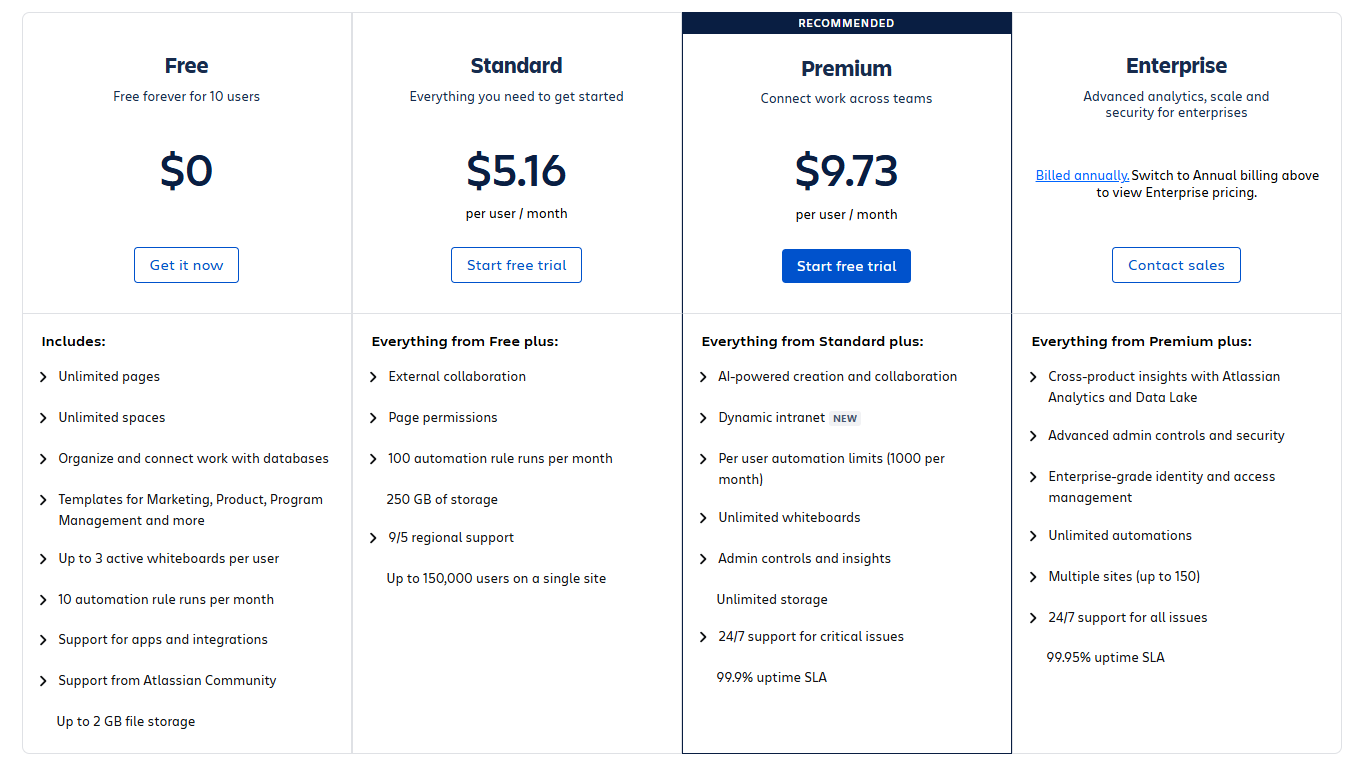
Atlassian offers different pricing tiers for Confluence, depending on deployment type (Cloud, Data Center, or Server) and team size.
It comes with a Free Plan, a Standard Plan for $5.16 per user/ month, a Premium Plan for $9.73 per user/month and an Enterprise Plan that requires contacting the team for more details.
What is Jira?
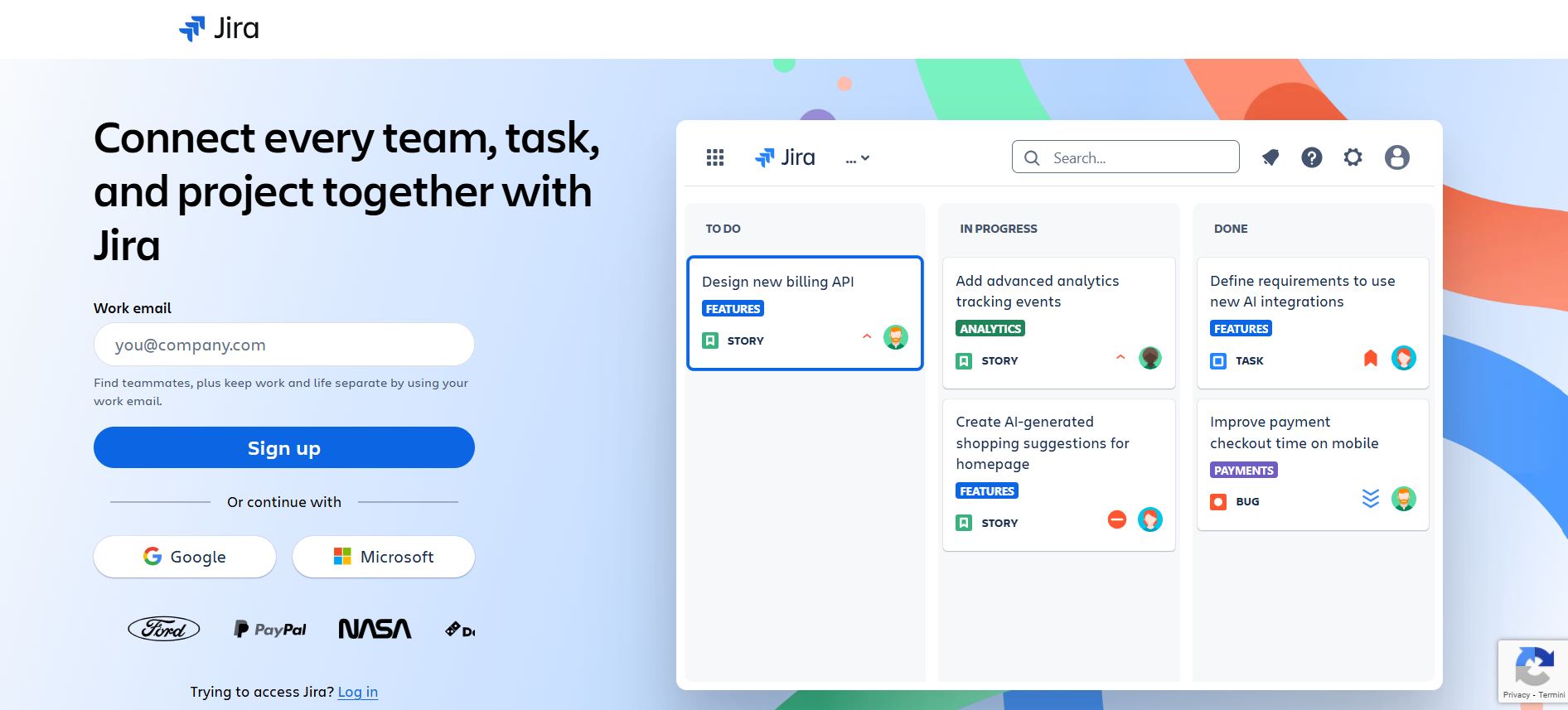
Jira is a powerful project management and issue tracking software developed by Atlassian. It's widely used by agile teams for software development, but it's versatile enough to be used for various types of projects across different industries. Jira helps teams plan, track, and manage their work efficiently.
Key features of Jira include:
- Customizable workflows;
- Agile project management tools (Scrum and Kanban boards);
- Detailed reporting and analytics;
- Issue tracking and bug tracking;
- Integration with other Atlassian products and third-party apps.
How does Jira work?
Jira works by providing a structured environment for managing tasks, issues, and projects.
Imagine Jira as a super-charged, digital task board. At its heart, Jira is all about tracking work - whether that's bugs that need fixing, features to be developed, or any other task your team needs to accomplish.
When you start using Jira, you create a project. This project is like a container for all the work related to a specific goal or product. Within this project, you create issues - these are the individual tasks or pieces of work that need to be done.
Each issue in Jira is like a detailed digital sticky note. It can contain a wealth of information - who's responsible for it, how important it is, when it's due, and much more. As team members work on these issues, they can update their status, add comments, or attach files.
As work progresses, Jira automatically generates reports and charts, giving you a bird's-eye view of your project's progress.
And just like its sibling Confluence, Jira plays well with others. It can integrate with a wide range of other tools, making it a central hub for your team's work.
Jira Pricing

You can get Jira for free or you can pay for a Standard Plan ($7.53 per user/month), a Premium Plan ($13.53 per user/month) or an Enterprise Plan that requires contacting the team for more details. The cost varies based on the type of deployment and the number of people on the team.
Choosing the Right Tool: Confluence vs Jira
Grasping the main differences between Confluence and Jira is important for making an informed decision. Remember that the choice ultimately depends on your team's specific needs, the nature of your projects, and your organization's workflow preferences.
Purpose and Primary Functions
When it comes to purpose and primary functions, Confluence and Jira serve distinct roles in the workplace ecosystem.
Confluence stands as a beacon of knowledge management and collaboration, providing a digital space where teams can come together to create, share, and organize information. It excels in document creation, offering a platform where team members can collaboratively craft and refine content.
On the other hand, Jira takes center stage in the realm of project and issue tracking. Its primary focus lies in task management, offering robust features for workflow automation and agile project management.
While Confluence helps teams collaborate on content, Jira ensures that work gets done efficiently and systematically.
User Interface and Navigation
The user interface and navigation of Confluence and Jira reflect their distinct purposes.
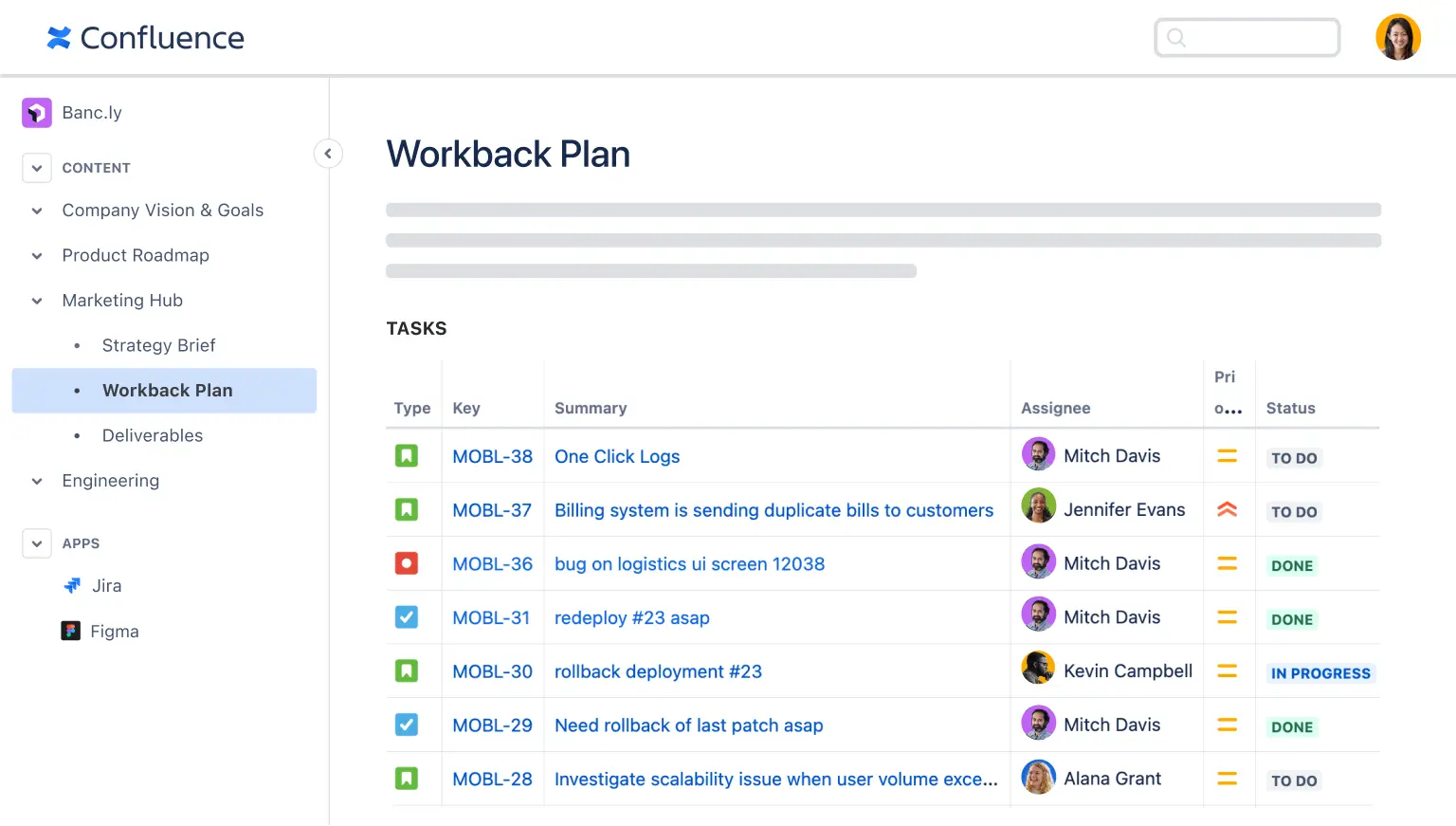
Confluence boasts a clean, document-centric interface that puts content at the forefront. Its design revolves around a hierarchical structure of spaces and pages, reminiscent of a well-organized digital library. Users navigate through a tree-like structure of pages and child pages, making it intuitive to find and access information. This layout emphasizes content creation and reading, providing a comfortable environment for users to immerse themselves in documentation and collaborative work.
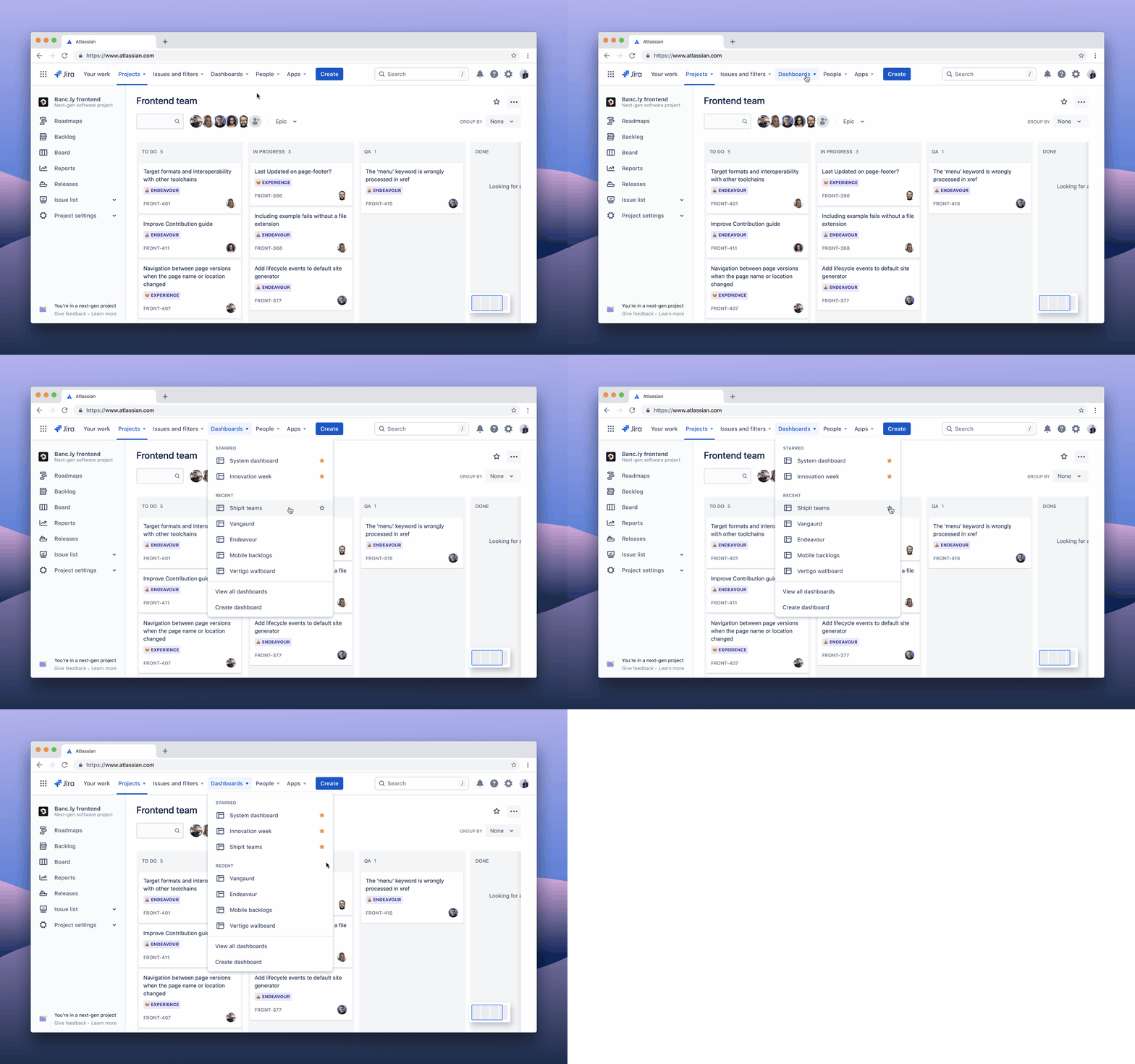
Jira, in contrast, presents a task-oriented interface dominated by boards and lists. Its project-based structure revolves around issues and subtasks, mirroring the workflow of busy project teams. Navigation in Jira is centered around projects, boards, and filters, allowing users to quickly switch between different views of their work. This design puts the emphasis squarely on task management and progress tracking, enabling teams to visualize their workflow and monitor progress at a glance.
Collaboration and Communication Features
Both Confluence and Jira offer robust collaboration and communication features, but they approach these aspects in ways that align with their primary functions.
Confluence shines in its support for real-time collaborative editing, allowing multiple team members to work on the same document simultaneously. It facilitates communication through comments and mentions on pages, ensuring that relevant team members are notified and can contribute to discussions.
Jira, while also supporting collaboration, does so through the lens of project management. It allows for issue comments and mentions, enabling team members to discuss specific tasks or problems. Jira's customizable workflows allow teams to tailor their processes to their specific needs. Its boards provide a visual representation of work progress, facilitating team coordination and transparency.
TextCortex: Native AI Solution for Company Knowledge
Imagine a world where your team's collective knowledge isn't just stored, but actively works for you.
That's the promise of TextCortex, a game-changing alternative to traditional tools like Confluence and Jira. While these platforms have their merits, TextCortex takes collaboration and project management to a whole new level.
The AI features in Confluence often leave users wanting more. They're looking for real, actionable insights from their data and that's where TextCortex shines. It's like having a brilliant analyst on your team that has instant access to all your organization's information.
With TextCortex, connecting your entire data ecosystem is as simple as a single click. No more jumping between platforms or wrestling with complex integrations. Once connected, TextCortex goes to work, sifting through your data to uncover patterns, trends, and insights you might never have spotted on your own.
Whether you're brainstorming ideas, managing projects, or making crucial business decisions, TextCortex is there to provide the context and insights you need. And the best part? It's designed with real teams in mind, offering a user-friendly interface that makes accessing these powerful insights a breeze.
Does this sound appealing? Try TextCortex today and unlock the full potential of your organization's data!
Conclusion
In the ever-evolving landscape of collaboration and project management tools, Confluence and Jira have established themselves as powerful solutions, each with its own strengths and use cases.
Ultimately, the choice between Confluence, Jira, or an alternative like TextCortex depends on your organization's specific needs, workflows, and goals. Many companies find value in using a combination of tools, integrating them to create a comprehensive ecosystem for knowledge management and project execution.
As technology continues to advance, we can expect these tools to evolve, offering even more sophisticated features to help teams work smarter, not just harder.
.png)
.png)
.png)