
Project management software helps teams to efficiently plan, execute, and track their progress. It acts as a centralized platform to manage tasks, timelines, communication, collaboration, and data sharing. When it comes to project management software, ClickUp is one of the first options that comes to mind. ClickUp is an AI-powered tool that offers companies project management convenience with its various features. If you are curious about what ClickUp has to offer and want to take a closer look, we've got you!
In this article, we will explore ClickUp and examine its features!
Ready?
Let’s dive in!
TL; DR
- ClickUp is an AI-powered knowledge management tool developed for companies and businesses.
- All you need to do to use ClickUp is to upload your documents to it and start processing them with AI features.
- ClickUp offers its users features such as project management, board view, Gantt charts, product development, knowledge management, time tracking, and automation.
- If you are looking for an alternative that has more effective features than ClickUp, offering multiple LLMs, workflow automation, knowledge management, collaboration and writing assistance features, TextCortex is a better alternative to ClickUp.
What is ClickUp?
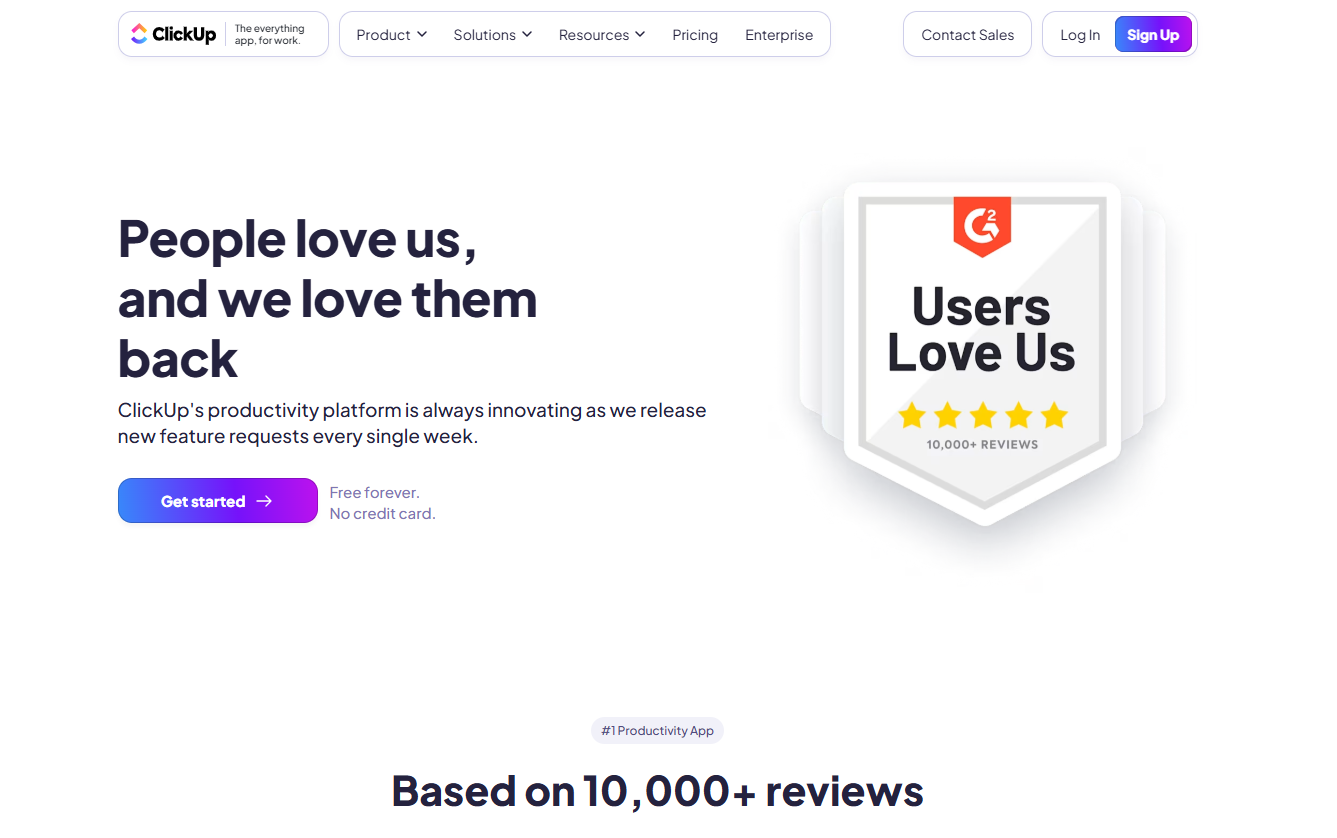
ClickUp is a knowledge management software that aims to help teams plan, track, list, collaborate and share tasks in one workspace. It's a solution for fast-moving product teams, start-ups, creative agencies, and marketing teams. You can customize ClickUp according to your company's needs, utilize them to increase profitability, and boost your team's efficiency.
How Does ClickUp Work?
ClickUp lets you upload, share, and process documents via its large language models. You can upload your company documents into ClickUp, share them across teams, allow them to communicate easily, and create insight from them.
ClickUp works as a knowledge base where you can store all your documents and use them with AI features. To start using it effectively, you need to upload your company data and give access to your team members. ClickUp also allows you to categorize, manage and share information based on your choices.
How to Access ClickUp?
To start using ClickUp as an individual or a company, all you need to do is create an account. Once you create your ClickUp account you can select one of its pricing plans and start using it for knowledge management tasks. To create a ClickUp account simply:
- Head to the ClickUp Website
- Hit the Sign-Up Button
- Fill in the Required Fields
and you are ready to go!
ClickUp Pricing
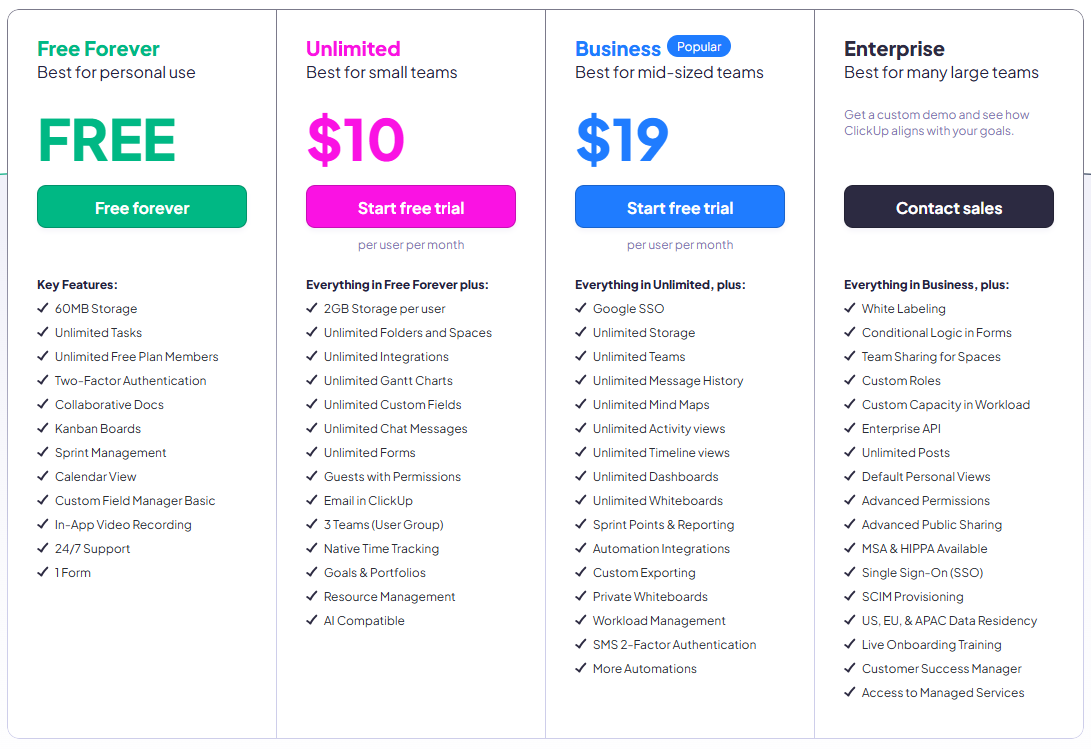
ClickUp offers four different plans, one of which is free:
- Free Forever
- Unlimited: $10 per user/month
- Business: $19 per user/month
- Enterprise: Custom Pricing
ClickUp Core Features
ClickUp offers its users not only a knowledge base but also different AI features that are shaped around it. If you are curious about the AI features that ClickUp offers for your business, let's examine them together!
Project Management
ClickUp aims to streamline project management tasks by providing its users with an AI-powered knowledge base. For this purpose, ClickUp offers its users the Tasks feature. With the ClickUp Tasks feature, you can connect all your work and provide your employees with quick access to all internal documents. With the ClickUp Portfolios feature, which is linked to this feature, you can set goals, assign tasks, adjust priorities, and make sure everyone is moving in the same direction.
Board View and Gantt Charts
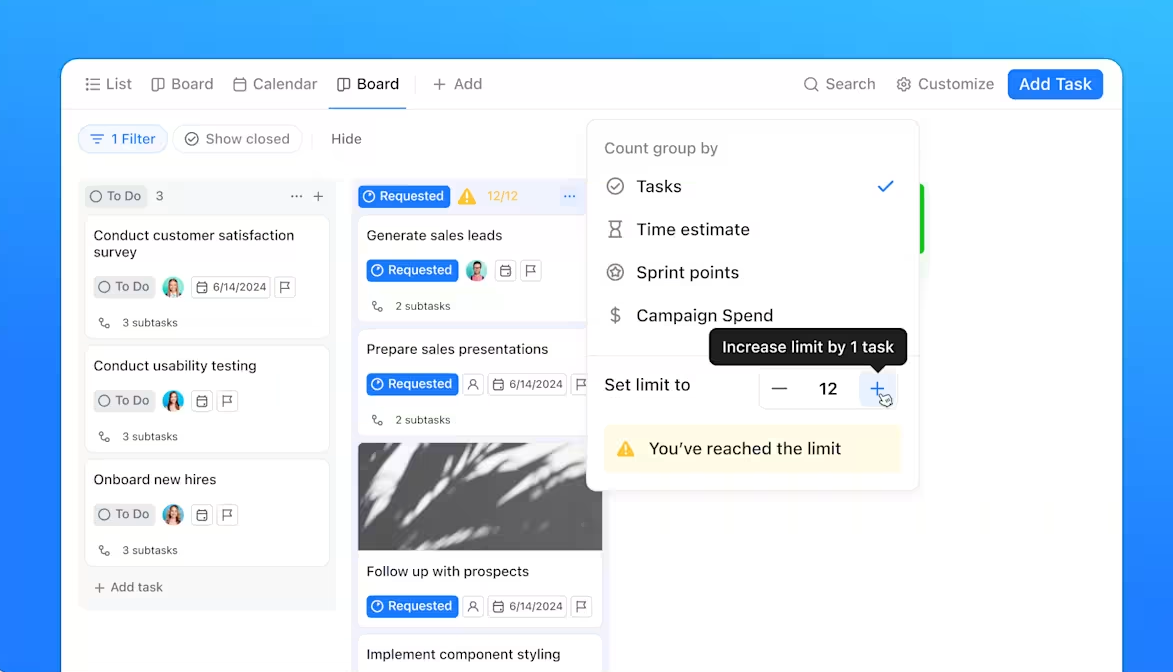
If your company is dealing with more than one project at the same time, ClickUp’s board view and Gantt chart features are designed for you. With ClickUp Board View, you can list any project and easily see its progress. Also, you can manage statuses with drag-and-drop simplicity. With ClickUp Gantt Charts, you can have a clear picture of your teams' progress and deadlines.
Product Development
ClickUp offers features that will streamline the product development process for its users. The first of these features is ClickUp Sprints. With ClickUp Sprints, you can automate weekly communications so your team can ship products with collaboration. Increasing communication between employees allows each employee to follow the process better and know the tasks they need to complete.
Another feature of ClickUp's product development is its AI-powered software management. With ClickUp AI-powered software management, you can plan, build, and ship in one place which is a centralized management base for you and your team.
ClickUp Knowledge Management
ClickUp is essentially an AI-powered tool that provides a knowledge base for companies. With ClickUp’s knowledge management, you can upload your internal data into ClickUp and create docs, wikis, and more. ClickUp comes with ClickUp Brain, an AI chatbot integrated with your knowledge base. The ClickUp Brain AI chatbot analyzes your knowledge base and answers questions from your employees. This way, your employees can quickly access the data they are looking for instead of searching through hundreds of documents.
Time Tracking and Goals
With the ClickUp time tracking feature, you can see the total time spent on your projects and tasks, the completion percentage according to the deadline, and more. In this way, you can follow the order of the work and make sure that you reach your goals. With the ClickUp goals feature, you can set goals for time tracking and ensure that all your employees are aware of the goals.
ClickUp Automations
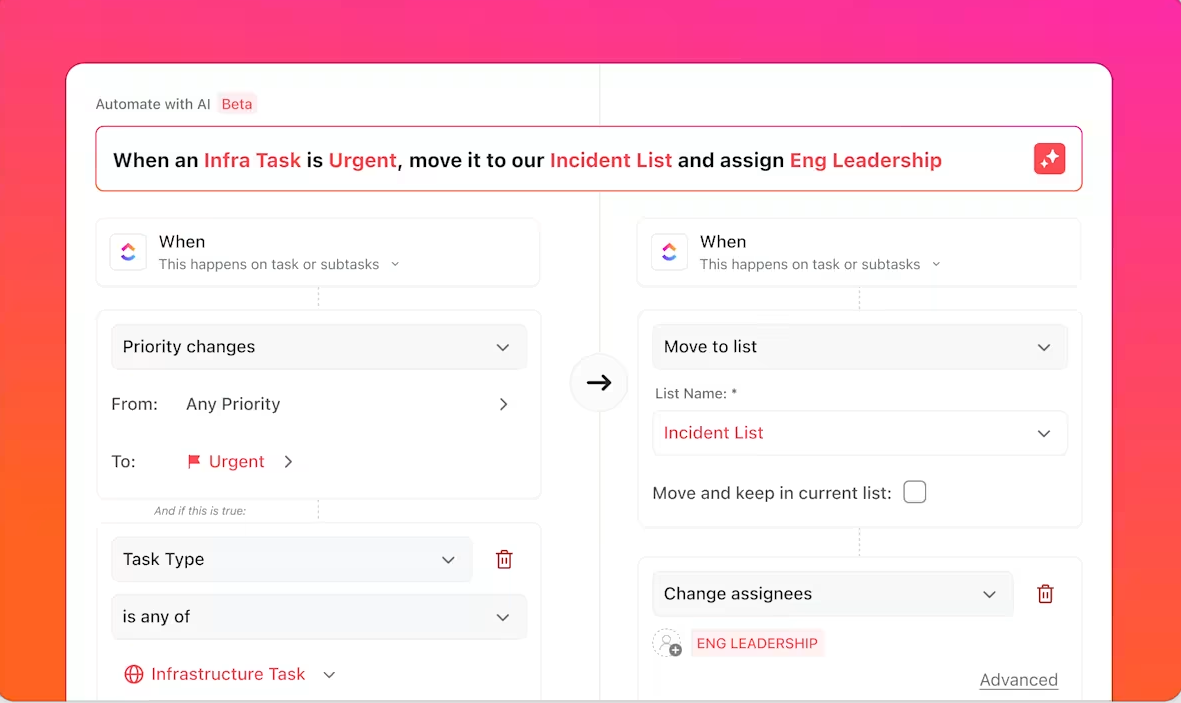
ClickUp comes with an automation builder feature that allows users to automate their repetitive and monotonous tasks. You can save time by automating your custom workflows using this feature. With ClickUp you can automate:
- Projects
- Scheduling
- Engineering
- Agencies
TextCortex AI: The Best ClickUp Alternative
If you need an AI assistant that offers what ClickUp offers and more, then TextCortex is for you. TextCortex was developed to meet the needs of enterprise users such as knowledge management, workflow automation, content creation, documentation, knowledge sharing, and data analysis.
Let’s break it down.
TextCortex Seamless Integrations
TextCortex offers integrations with 30,000+ websites and apps including Gmail, Google Docs, Pages, Notion, and Slack to be with its users anytime, anywhere. With TextCortex, you can continue working without having to switch tabs, thus saving time and energy. In other words, TextCortex aims to provide you with the best experience by adapting to your working style, pace, and needs.
TextCortex Knowledge Bases
TextCortex offers knowledge bases for individual and team users where they can store all their internal data and use it with various AI features. Using our knowledge bases, you can organize, share, and analyze your internal data, use it to generate insights, and use it to create new knowledge. By integrating TextCortex knowledge bases into your business, you can provide your employees with access to information in a conversational format through simple queries.
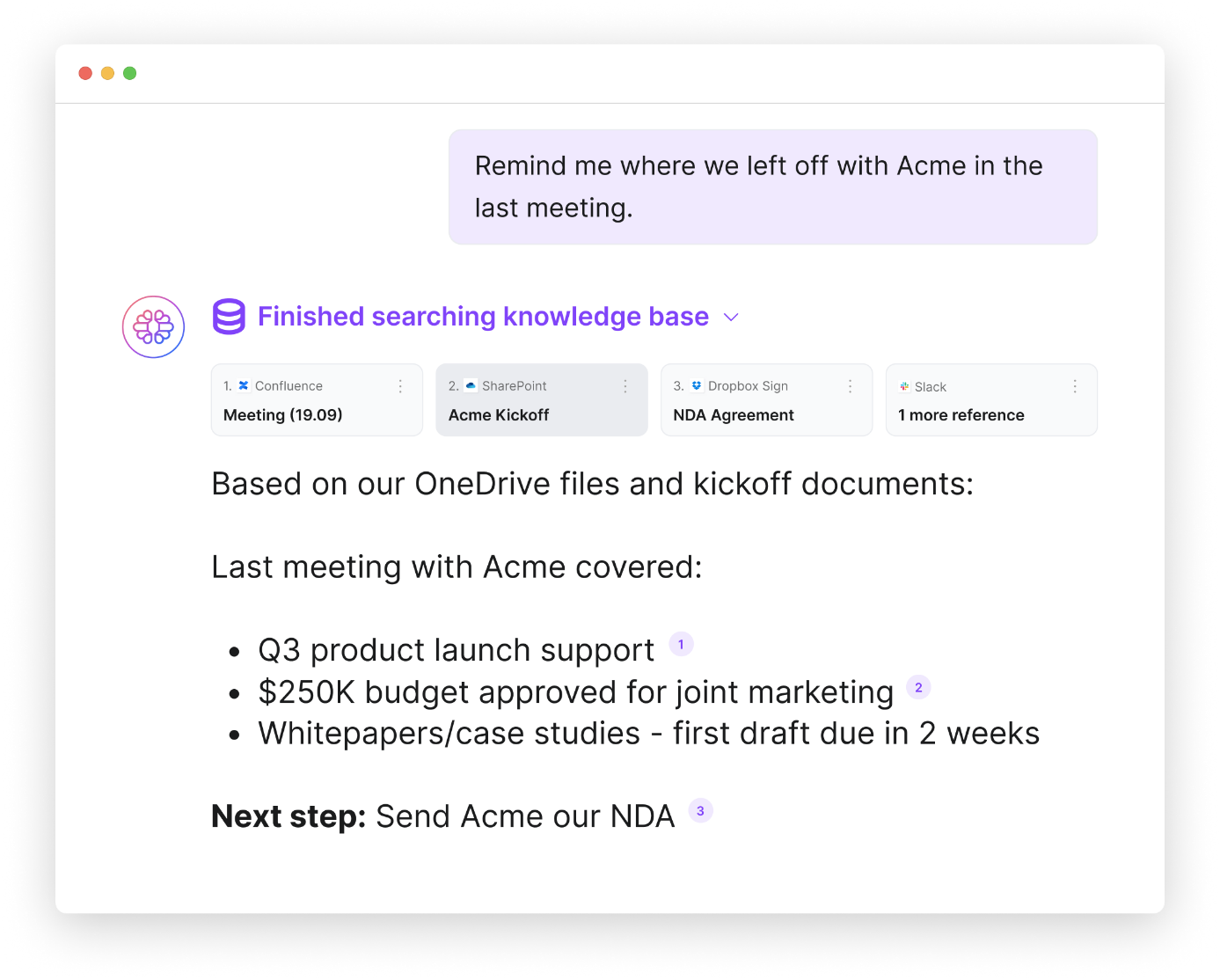
You can manually upload your data and documents to TextCortex knowledge bases or connect your existing knowledge sources such as Microsoft OneDrive, Google Drive, and Notion with a single click. Moreover, you can organize your documents and internal data by creating knowledge base files.
TextCortex Workflow Automation
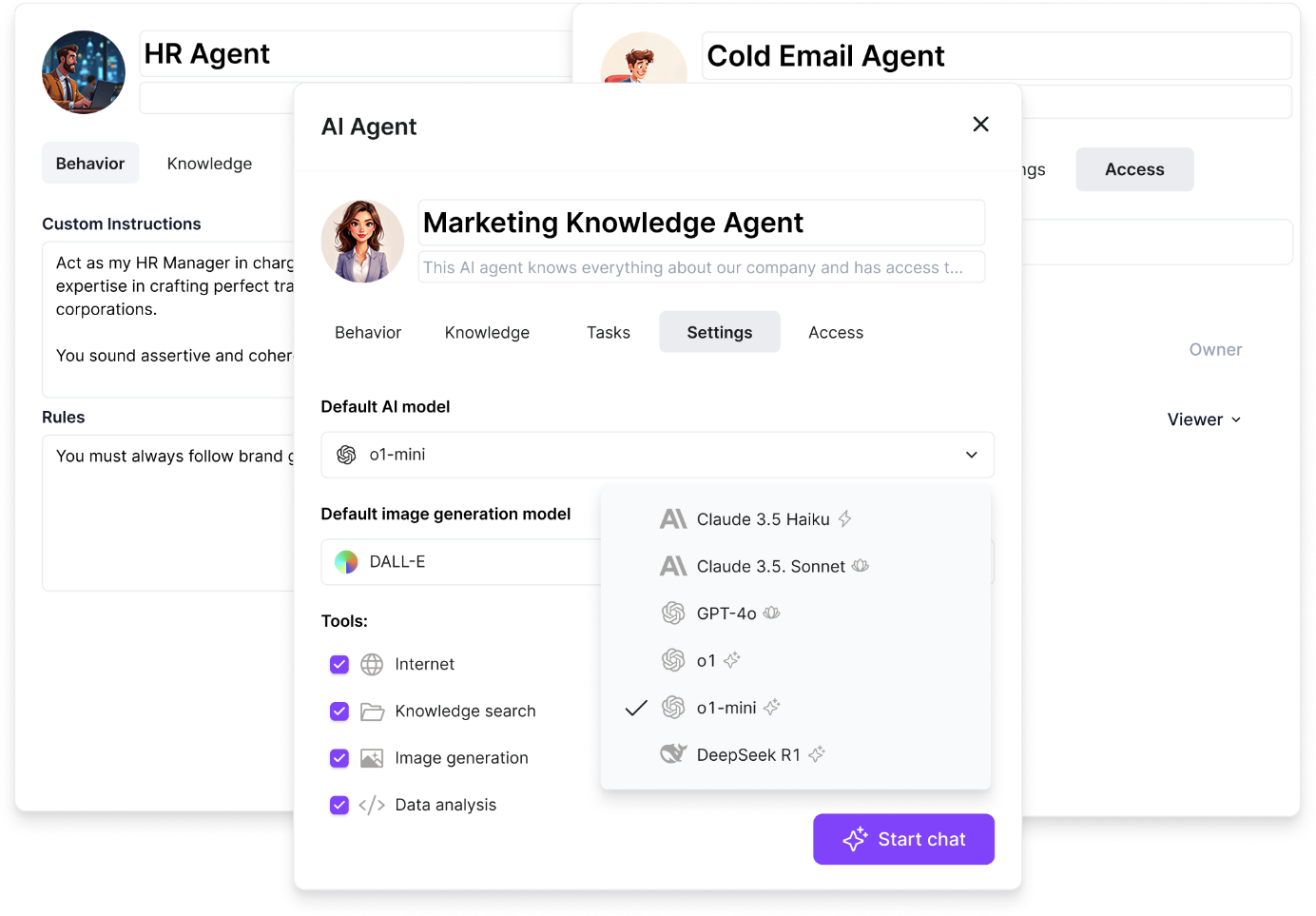
TextCortex offers automation of repetitive and monotonous tasks to all its users, including enterprises. With TextCortex AI agents, you can automate any repetitive workflow of your business and save time! TextCortex AI agent works integrated with your knowledge base and can complete tasks using your internal data. For example, using the TextCortex AI agent feature, you can build an assistant that will automate HR manager tasks and help you save time.
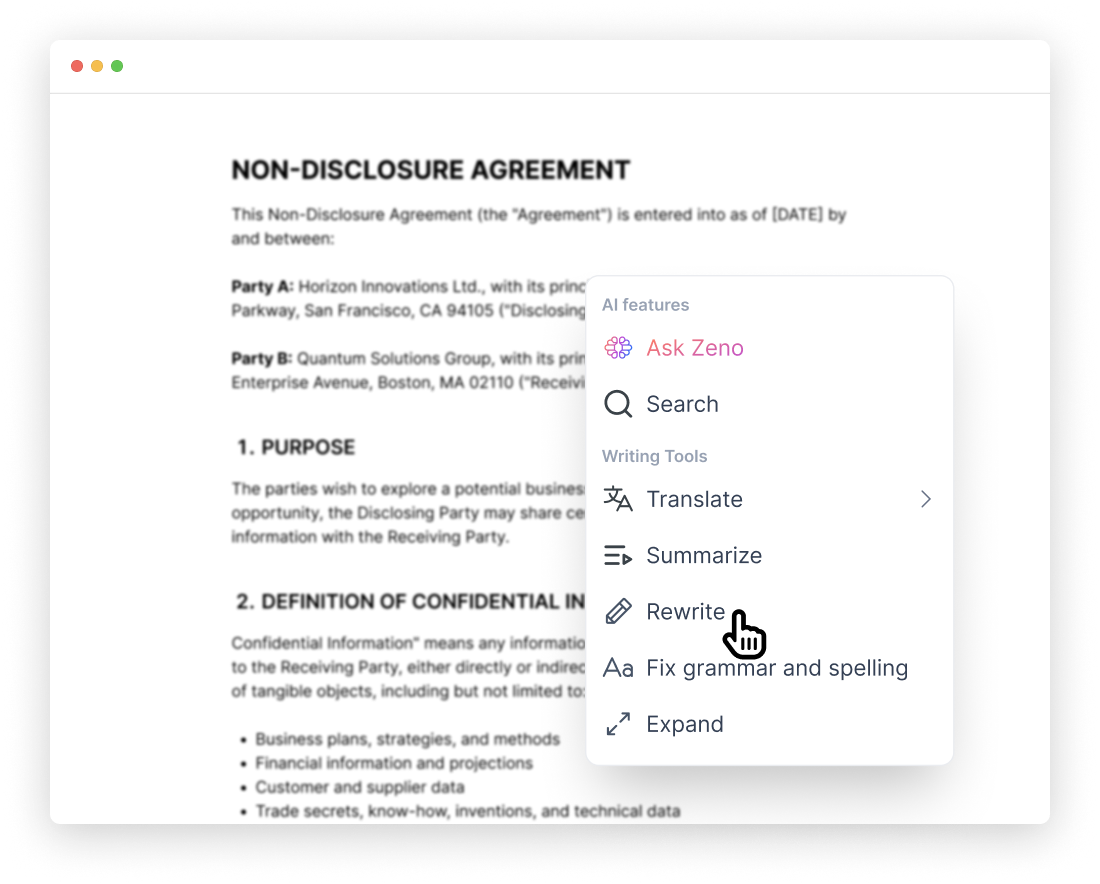
Writing Assistance
If you need to create documents frequently or want to make your enterprise documents compelling, contextual, well-organized, and error-free, then TextCortex writing assistance is designed for you. Our writing assistance stabilizes your brand voice and ensures consistency in all your written documents.
Frequently Asked Questions
Is ClickUp good to use?
ClickUp offers advanced AI features for companies such as automation, knowledge management, project management, time tracking, and an AI chatbot. If you want to increase your company's productivity and easily handle knowledge management tasks, ClickUp is a good option. However, if you need an AI assistant that offers knowledge management and automation features to accompany you on 30,000+ websites and apps, TextCortex is the way to go.
Is ClickUp fully free?
Although ClickUp offers a free plan for its users, it is not completely free. With the ClickUp free plan, you can only access limited features and cannot try its full performance. If you need an AI knowledge management assistant that allows you to try all its features for 15 credits per day, then TextCortex is designed for you.
Can ClickUp be trusted?
ClickUp is an AI tool that has positive reviews from most users and cares about customer security. If you are looking for an AI knowledge management assistant that will protect your company data with various security certificates, such as SOC 2 Type I and SOC 2 Type II, TextCortex is the way to go.
.png)
.png)
.png)