
.png)
OpenClaw has become an efficient and increasingly essential technology thanks to the automation, skills, and time savings it provides. However, while OpenClaw offers many benefits, it also comes with its own drawbacks, especially security risks. The more access and authorization you grant a tool, the greater the risks it brings, and OpenClaw is no exception. However, it is possible to use OpenClaw more securely through conscious and effective practices.
In this article, we will explore OpenClaw security best practices.
TL; DR
OpenClaw boosts automation and saves time, but the more access you grant it, the bigger the security risk. Since it’s open-source and self-hosted, you’re responsible for deployment, updates, and hardening, OpenClaw isn’t a managed cloud agent service. Its third-party skills ecosystem can introduce supply-chain threats, including malicious skills, alongside risks like RCE, browser-based attacks, prompt injection, and plaintext credential leaks. To secure your setup, define clear trust boundaries (especially in shared workspaces), lock down Gateway access with properly configured proxy auth, TLS, strict ingress rules, and WebSocket protection, enforce sandbox/tool restrictions, allowlist and pair nodes with token rotation, and treat secrets/logs as sensitive with retention and redaction.
What is OpenClaw?
OpenClaw initially emerged as an AI tool that you could install on your system. Later, with features like skills and computer use, it evolved into an automation tool for enterprises and organizations. OpenClaw is an open-source and self-hosted AI tool that you can use to automate repetitive workflows or computer-related tasks. You can run and use numerous AI agents across messaging apps and tools via OpenClaw.
What OpenClaw is not?
OpenClaw is not a cloud agent service or a chatbot to run your large language models. OpenClaw runs entirely on your infrastructure, so you are responsible for deployment, updates, and security. Therefore, you must take your own security measures when using or deploying skills in OpenClaw. According to a Koi Security report, 341 of the 2,857 skills available in OpenClaw have been identified as malicious entries. This brings users to the next topic: OpenClaw security concerns.
OpenClaw Security Risks
Although OpenClaw is useful, it carries security risks due to both its manual installation and third-party features like Skill. The most common OpenClaw security risks include:
- Remote Code Execution (RCE) vulnerabilities
- ClawJacked vulnerability allowing browser-based attacks
- Leaked plaintext API keys and credentials
- Prompt injection attacks
- Malicious skills spreading Atomic Stealer malware
- ToxicSkills with 36% of skills containing security flaws
- 15% malicious rate in ClawHub marketplace
- Coordinated supply chain attacks via skills
- Excessive system authority over files and workflows
- Dual supply chain risk from compromised skills and untrusted inputs
- No enterprise-grade security controls
- Plaintext credential exposure
However, there are security practices you can use to eliminate these OpenClaw risks.
OpenClaw Security Best Practices: How to Harden Your Setup
If you want to strengthen your OpenClaw security, we've listed best practices for you.
1) Set Trust Boundaries
OpenClaw security starts with one core idea, define what’s trusted and what’s not before you deploy anything. OpenClaw isn’t a single chatbot instance. It’s a gateway that brokers control, nodes that execute actions, operators who approve decisions, and chat workspaces that constantly feed the system new context.
And here’s where risk grows fast: the moment a personal assistant setup becomes a shared agent setup. Shared Slack/Teams workspaces are productive, but they also expand your threat surface. If you don’t separate operator scopes, channel permissions, and trust boundaries, a shared workspace can turn into a direct path for unsafe instructions, context pollution, and tool misuse.
2) Secure Access Paths
After trust boundaries, the next step is access. Because if your Gateway is reachable in the wrong way, sandboxing and tool controls become irrelevant. OpenClaw typically gives you two routes: token-based auth, or trusted-proxy auth behind a reverse proxy. Token auth is direct. Trusted-proxy auth can be ideal for enterprise setups, but it’s also security-sensitive by design. If the proxy is misconfigured, you can unintentionally create a Gateway that’s accessible without real authentication.
If you rely on proxy auth, the proxy must be the only route to the Gateway. Pair that with TLS termination, strict ingress rules, and WebSocket protection because WebSockets are the control tunnel for nodes and UIs.
3) Sandbox + Tool Controls
Sandboxing helps when the model makes a mistake, but it doesn’t magically turn the entire system into a sealed container. The bigger pitfall is elevated execution. OpenClaw can allow escape hatches where tools run outside the sandbox depending on your policy. That’s useful for operations, but dangerous when it becomes a default. If your tool policy makes elevated paths easy, you’re effectively undoing the protections sandboxing gives you.
4) Lock Down Nodes
OpenClaw’s gateway-owned pairing flow makes node trust explicit, a node requests pairing, the Gateway creates a pending request, an operator approves it, and the Gateway issues a token. When a node is re-paired, tokens are rotated. Pending requests also expire, which reduces long-lived approval risk.
In practice, pairing and allowlisting should be your default stance. You’re not only blocking random devices. You’re preventing rogue nodes, avoiding credential reuse across environments, and keeping execution capability tied to deliberate operator approval.
5) Harden the Baseline
Start with network exposure. Bind conservatively. Firewall aggressively. Don’t leave “temporary” ports open. Most incidents don’t start with sophisticated attacks, they start with reachable services and permissive defaults.
Next, control external content behavior. If your setup can fetch URLs or ingest external content, treat that capability as a risk surface and disable it where it’s not required. Convenience flags are often the fastest path to security drift.
Finally, treat secrets and logs like sensitive data because they are. Secrets stored on disk, transcripts, and session logs can contain internal context, credentials, and user data. Without retention limits and redaction discipline, your logs become your most reliable data leak channel.
TextCortex AI: Cloud-based OpenClaw Alternative
If you need cloud-based AI agent infrastructure and are looking for a secure option, TextCortex is an AI platform you should consider. TextCortex is a leading knowledge management, workflow automation, and AI agent framework platform that aims to reduce the workload of enterprises and save them time.
TextCortex Features
TextCortex provides knowledge bases that allow users to upload internal data or connect to databases. With knowledge bases, you can create folders for different data groups. Another TextCortex feature is the AI agent framework, which integrates with knowledge bases. With the TextCortex AI agent builder, you can build AI agents to perform and automate specific tasks, and add your knowledge base data. You can build your AI agents manually with TextCortex or use our AI agent builder feature. Furthermore, TextCortex's wide range of LLM support allows you to choose the optimal large language model for each task.
You can leverage our connectors and skills features to use your AI agents more effectively. With the skills feature, you can create prompt groups for specific actions and tasks and use them modularly in any of your AI agents.

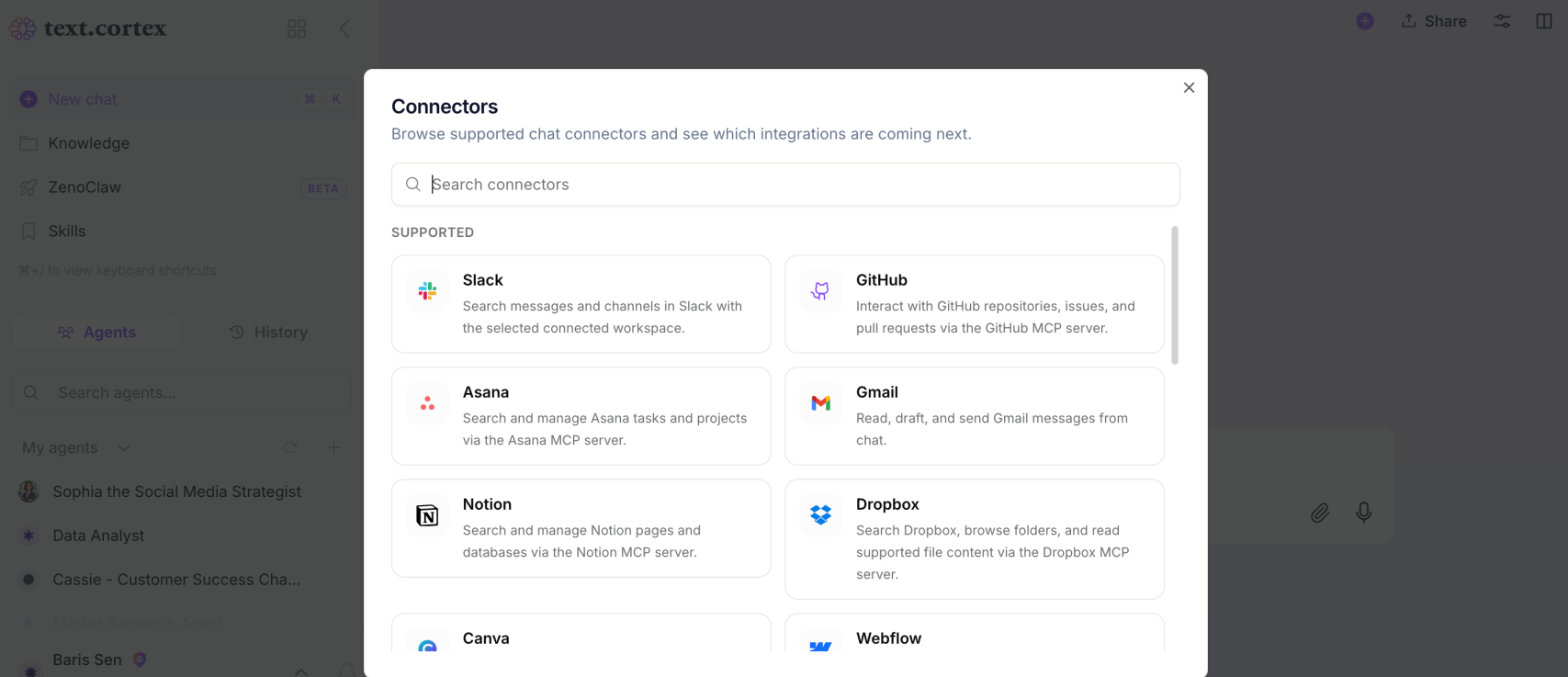
Our connectors feature allows you to integrate third-party apps into your skills or agents. For example, if you want a skill you've created to be activated in Slack, you can integrate Slack with a specific skill using connectors.
Frequently Asked Questions
What is AI agent governance?
AI agent governance refers to the policies and frameworks used to protect AI agent systems and minimize security risks.
How does prompt injection work in AI agents?
If you are using an AI agent infrastructure running on your local machine, such as OpenClaw, a wide range of uses, from skills to documentation, carry the risk of prompt injection.
Is there an enterprise version of OpenClaw?
TextCortex operates as a cloud-based AI agent infrastructure offering advanced security options. In addition to AI agents and automation, TextCortex also provides features such as a company AI assistant, image generation, and company AI search.
.png)
.png)
.png)