
GPT Image 1 is an AI image generator chatbot developed by OpenAI that accepts both text and visual input to generate high-quality visual output. Unlike traditional AI image generator models, GPT Image 1 specializes in generating output from both text and image inputs. If you're curious about GPT Image 1 and its capabilities, we've got you covered!
In this article, we'll explore GPT Image 1 and learn about its unique features.
Ready?
Let's dive in.
TL; DR
- GPT Image 1 is an AI image generation model developed by OpenAI that can analyze text and images and generate output.
- You can access the GPT Image 1 model via ChatGPT or TextCortex, or use it as an API.
- With its advanced text rendering capabilities, the GPT Image 1 model can accurately spell the text you want onto images.
- You can edit your existing images in conversational format with GPT Image 1.
- If you want to integrate the GPT Image 1 model into your professional workflow, TextCortex is the way to go.
What is GPT Image 1?
GPT Image 1 is a multimodal image generation model developed by OpenAI that specializes in analyzing visual and textual inputs to generate visual outputs. Unlike the traditional diffusion-based approach, GPT Image 1 generates output using an autoregressive approach. This approach generates parts of an image to predict the next part, similar to how language models work. Thus, GPT Image 1 can better follow prompts and translate details added to those prompts into visuals.
How to Access GPT Image 1?
The most basic and easiest way to access the GPT Image 1 model is to use it via the ChatGPT AI chatbot. You can enter your prompt into the ChatGPT chatbot with trigger words like "imagine, create, design" and start generating the images you want. Once you've created your image, you can keep editing it in conversational format. You can also access the GPT Image 1 model as an API and integrate it into your own AI model.
GPT Image 1 Pricing
You can use the GPT Image 1 model for free on a limited basis via ChatGPT. However, if you want to use the GPT Image 1 model without limits and in a more professional way, you need to purchase one of OpenAI's paid memberships. If you only want to use the GPT Image 1 model as an API, the pricing is as follows:
- $10 per million input tokens
- $2.5 per million cached input tokens
- $40 per million output tokens
GPT Image 1 Features
GPT Image 1 is an AI image generation model that works integrated with ChatGPT and generates images following the same architecture as text generators. Let's take a closer look at the features of GPT Image 1.
Text Rendering
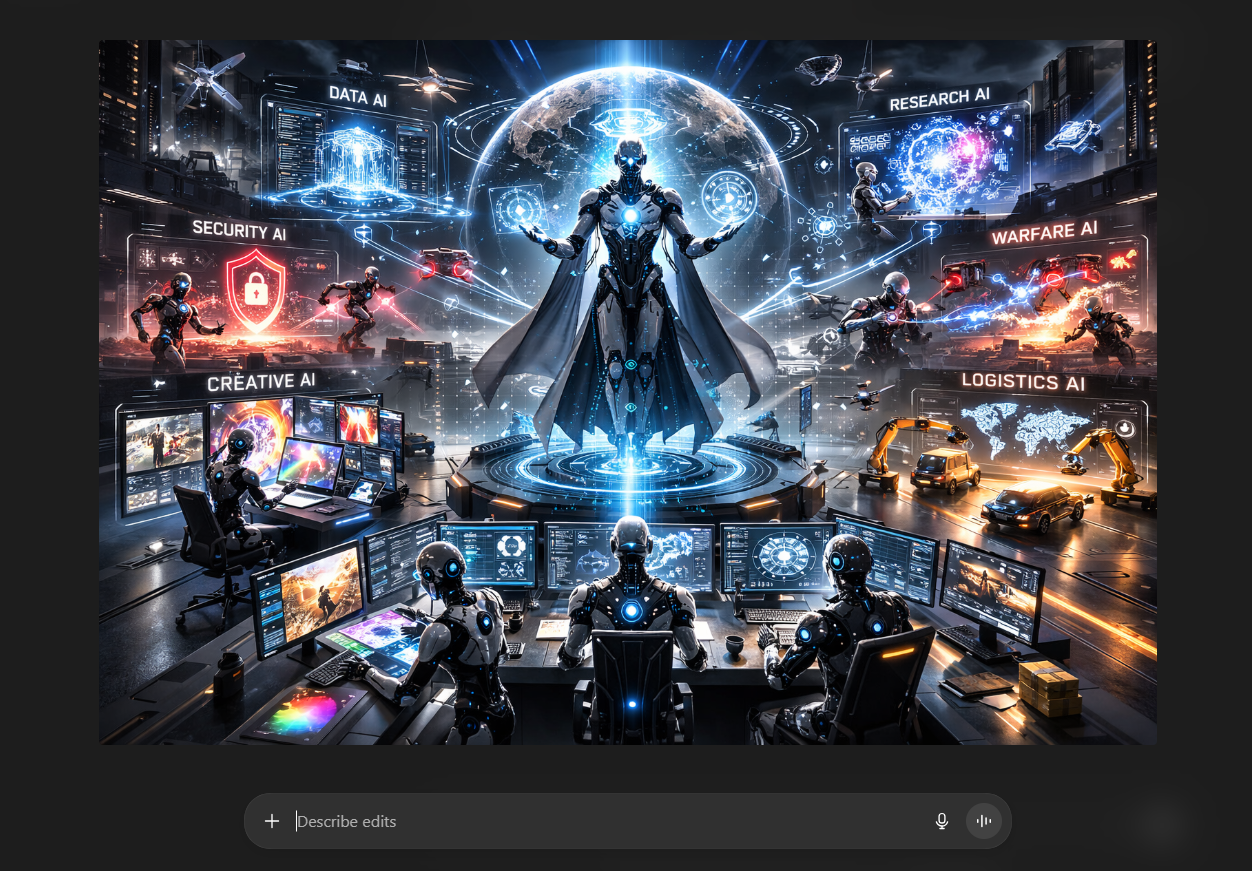
The GPT Image 1 model is successful at spelling text onto images, and it does so without altering the text, turning letters into strange symbols, or blurring small fonts. While models like DALL-E 3, Midjourney, and Stable Diffusion struggle with text rendering, the GPT Image 1 model accurately adds text to images. Currently, its closest competitor in this regard is the Gemini 3 Pro Image model. Thanks to this feature, you can use the GPT Image 1 model to create presentations, visualize your data, and design a wide range of professional visuals, such as marketing posters.
Conversational Image Editing
Because the GPT Image 1 model integrates with ChatGPT, it is already capable of following natural language conversions. This allows you to edit images generated with GPT Image 1 using follow-up prompts, change the image's style, add different text, remove objects, or add new ones. Therefore, if you don't get the desired visual output the first time, you can continue editing in conversational format!
World Knowledge
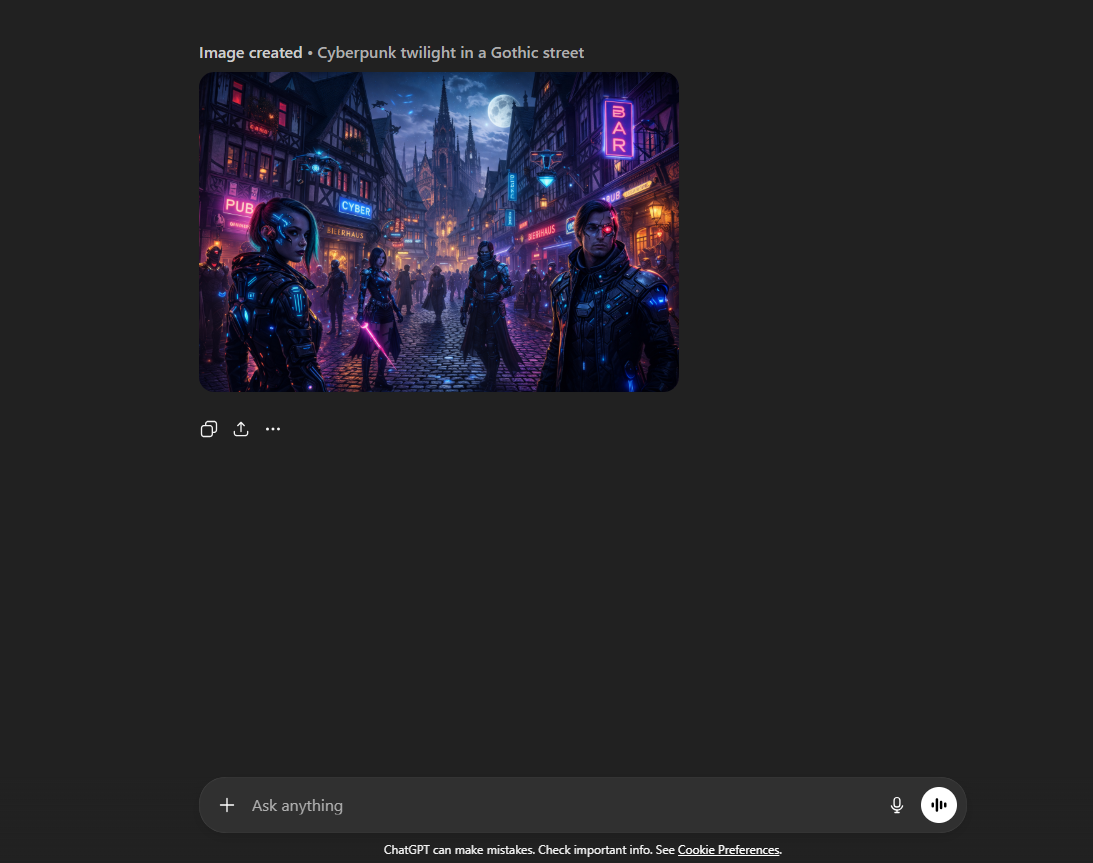
The GPT Image 1 model leverages world knowledge and internet data to generate contextually accurate images. For example, with the GPT Image 1 model, you can generate an image of cyberpunk-themed people in the Gothic-era streets of Germany. If you want to create designs that combine historical and contemporary elements, the outputs of GPT Image 1 will satisfy you.
High Resolution Images
The GPT Image 1 model can generate images with resolutions up to 4096x4096. While 4K is currently found in the highest resolution monitors and displays, it has not yet become the standard resolution. However, with the GPT Image 1 model, you can produce images that will not have pixelation issues, even on high-end hardware.
Instruction Following
Because the GPT Image 1 model works like natural language models, generating output, it can meticulously track user prompts and convert each element in your prompt into a visual. This increases the likelihood of generating the desired visual the first time and allows you to make precise changes when editing images.
Variety of Styles
The GPT Image 1 model allows users to create visuals using all image styles found on the internet and in the literature. With the GPT Image 1 model, you can produce hyperrealistic product shots or illustrated advertising posters. The GPT Image 1 model gives you the space to create what you want; the rest is up to your imagination and intended use.
TextCortex AI: Utilize GPT Image 1
If you want to integrate the GPT Image 1 model into your enterprise workflow and use it in various professional areas, from product shots to presentation slides, TextCortex is the solution for you. TextCortex is a leading knowledge management and workflow automation tool that also offers AI image generator models such as GPT Image 1 and Gemini 3 Pro Image. With TextCortex, you can complete your professional tasks while generating visually demanding outputs like presentations.
How to Access GPT Image 1 via TextCortex?
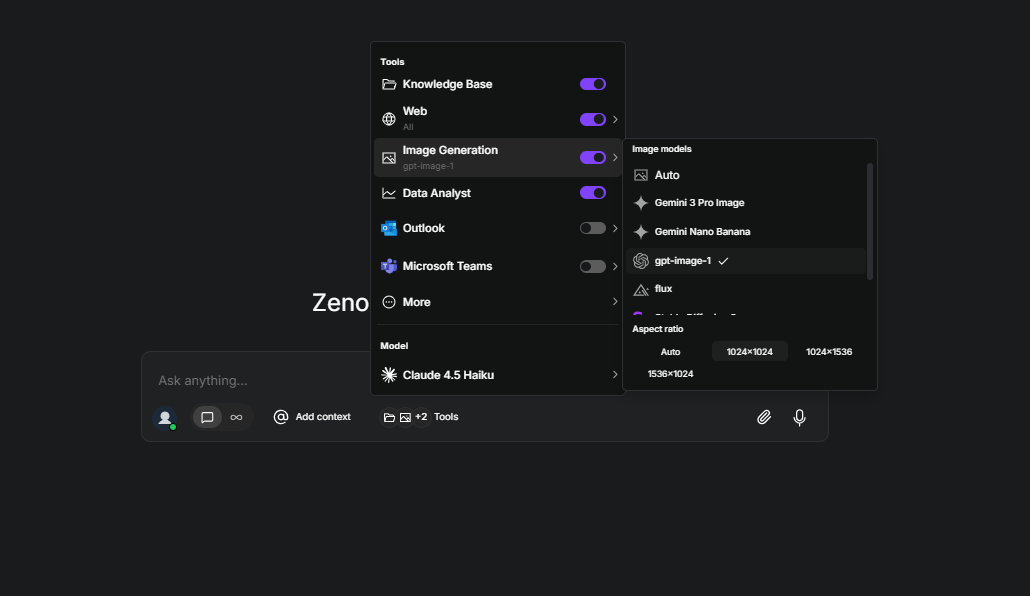
Accessing the GPT Image 1 model with TextCortex is a simple and straightforward process, here is how:
- Head to the TextCortex web application
- Select “GPT 1 Image” from chat settings
- Enter your prompt
TextCortex will automatically enhance even your simplest prompts, helping you generate high-quality, contextually accurate output.
Frequently Asked Questions
Is GPT Image 1 free?
The GPT Image 1 model is freely accessible through the ChatGPT free tier. However, if you want unlimited access to the GPT Image 1 model, you will need to pay its API pricing or subscribe to one of the premium ChatGPT plans.
Is gpt image 1 better than DALL-E 3?
The GPT Image 1 model is better than the DALL-E 3 model in text rendering and prompt following.
How do I use GPT image 1?
You can use the GPT Image 1 model via ChatGPT. Another way to use the GPT Image 1 model is to access it via TextCortex.
.png)
.png)
.png)