
Flux, developed by Black Forest Lab, is an AI image generator model that converts text inputs into visual outputs. The Flux model solves the biggest problem faced by AI image generators: realistically rendering limbs like fingers. Flux is a model developed as a competitor to the Midjourney model and has managed to outperform it. If you're curious about the Flux model and its capabilities, we've got you covered!
In this article, we will examine the Flux model and its features.
Ready?
Let's dive in!
TL; DR
- Flux is an AI image generator model developed by Black Forest Lab that converts text inputs into images.
- Flux AI offers users text-to-image and image-to-image features.
- Flux AI image generator is not successful in image spelling and text rendering. If you want to integrate various AI image generator models, including Flux, into your enterprise, TextCortex is the solution for you.
What is Flux?
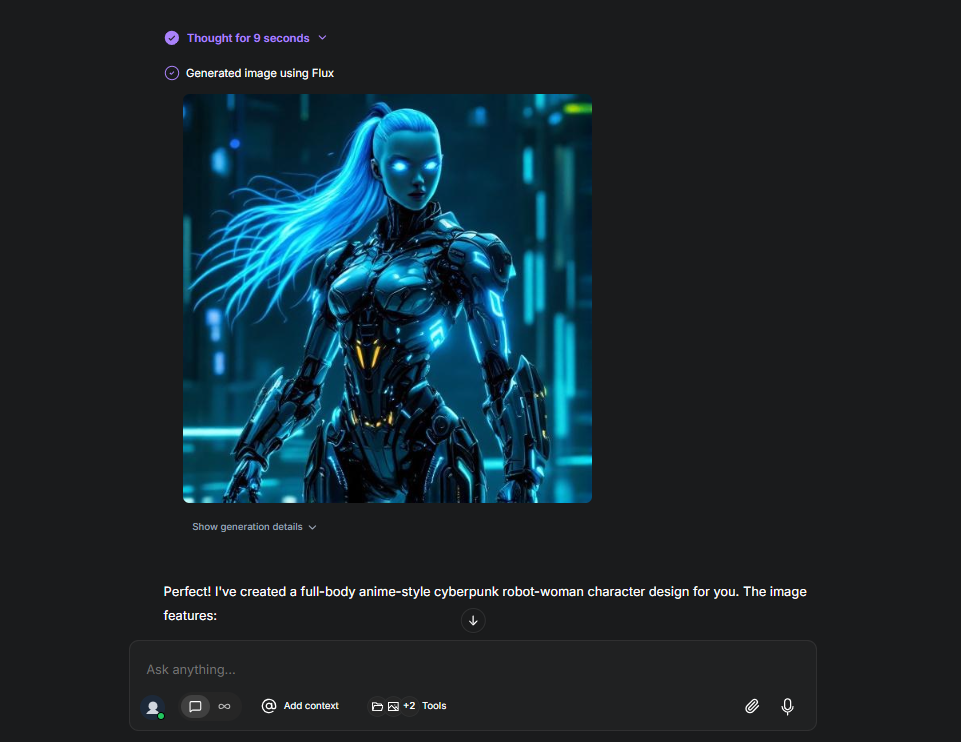
Flux is an AI image generator model developed by Black Forest Lab and presented as a competitor to the Midjourney AI image generator model. It converts textual inputs into visual outputs. With Flux, you can generate high-quality visual outputs in your desired art style from textual prompts. For example, you can generate realistic images of people or landscapes, or create different animated images with a cyberpunk theme.
How to Access Flux?
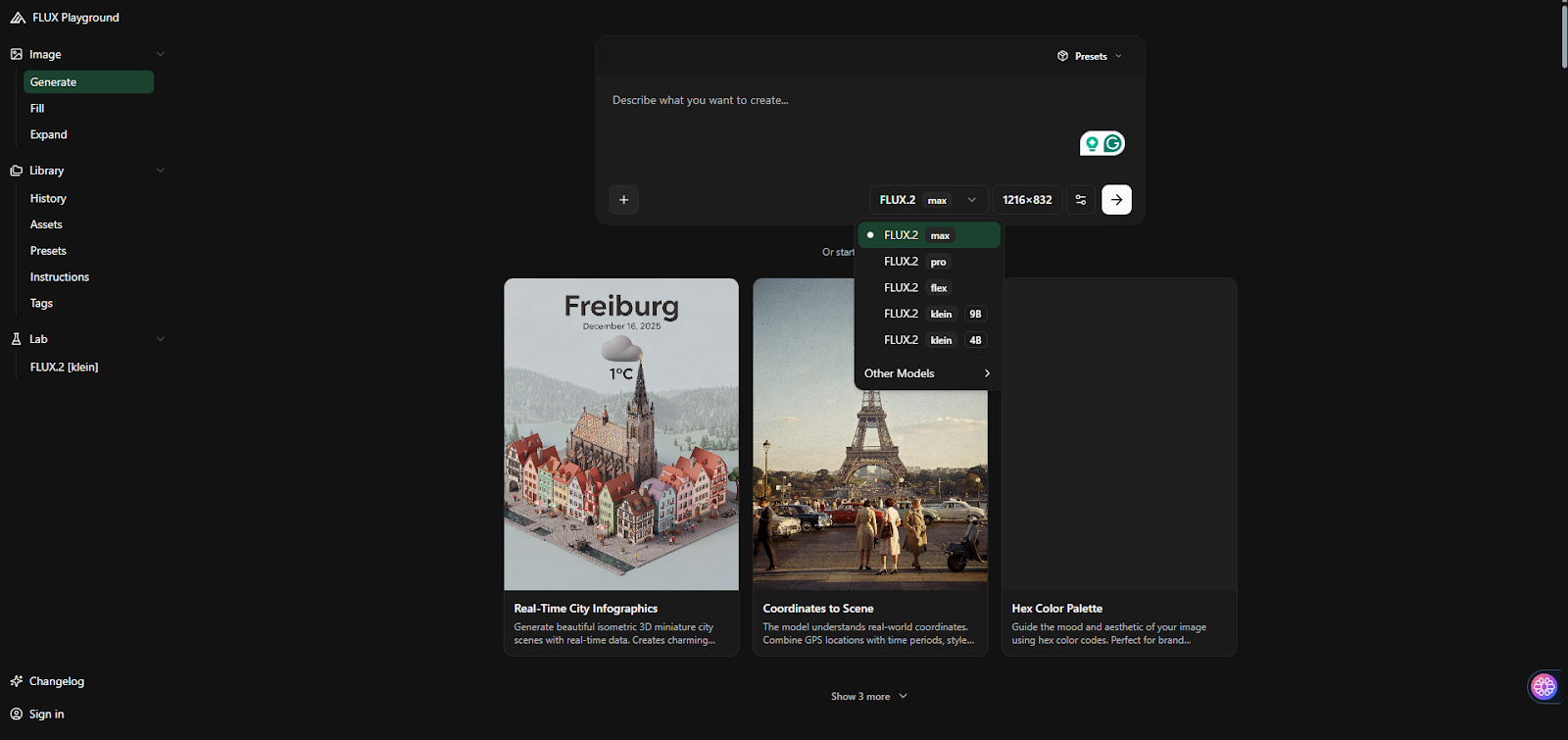
The easiest way to access the Flux AI image generator model is to use it through the Flux AI web application. With Flux AI, you can turn your textual prompts into image outputs, without needing any technical knowledge. Flux AI offers users the following AI image generator models:
- Flux.1
- Flux.2 Max
- Flux.2 Pro
- Flux.2 Flex
- Flux.2 Klein 9B / 4B
A professional and innovative way to access the Flux AI image generator model is to use it via TextCortex. TextCortex allows you to integrate a wide range of AI image generator models, including the Flux AI image generator, into your daily workload.
Flux AI Pricing
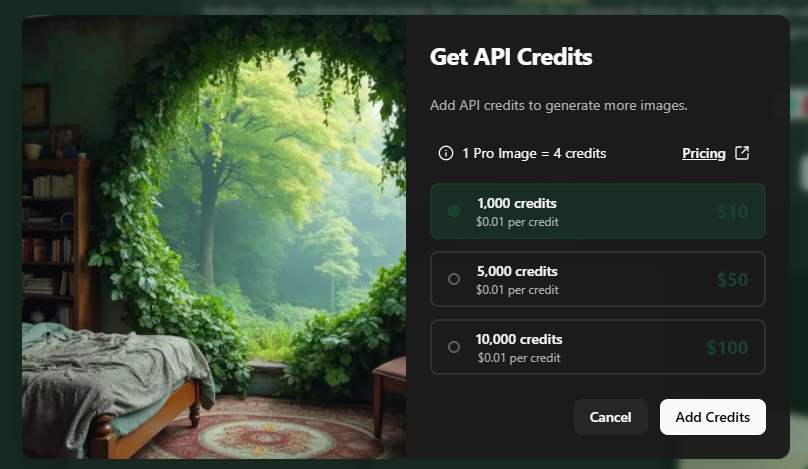
To use the Flux AI image generator model, you need to pay for its API pricing. When you want to use the Flux image generation model, you will be presented with the option to add 1000, 5000, or 10000 credits. One image generation costs an average of 4 credits. Although each credit costs $0.01, you can only purchase them in multiples of $10.
Flux AI Features
Flux AI doesn't have complex features; it offers simpler, solution-oriented features. Let's take a look at the features of the Flux AI image generator together.
Text to Image
The core feature offered by the Flux AI image generator model is its text-to-image capability. Because Flux emerged as a competitor to Midjourney, it focuses solely on transforming textual prompts into unique, high-quality visual outputs. Therefore, the Flux model can analyze your textual inputs, track your prompts, and identify the intents within them to generate the desired result.
Image to Image
While Flux primarily focuses on textual prompts, it also offers an image-to-image feature. You can update your image visuals in the Flux AI chatbox to reference them, or make changes to your existing images.
Parameter Size
The Flux AI model, also known as Flux.2 Pro has been trained with a total of 32 million parameters. When generating output, the model processes world knowledge and structured input in a separate area for low latency and high-quality output, allowing it to generate output in even or odd-digit seconds. In simpler terms, the model processes the user prompt and parameters in a separate area to quickly generate the desired output.
Output Speed
Thanks to its architectural structure, the Flux AI image generator model can generate output slightly faster than Midjourney. Depending on the complexity of your prompt and the resolution of the final output, the Flux AI image generator has an output generation speed ranging from a few seconds to one minute. Images generated with Flux will take approximately 9-12 seconds to generate.
Text Rendering / Image Spelling
The Flux model is primarily designed to follow textual prompts and generate visual output, so it's not very successful at text rendering. While the Flux AI image generator can render large font text, it doesn't deliver the desired results when it comes to rendering low-pixel text. For example, images generated with Flux may have faint or missing text, jumbled letters, and instead of the words you want, you might encounter words that sound like some kind of alien language.

Aspect Ratio
With the Flux AI image generator, you can choose the aspect ratio of the images you generate from five different options:
- 1:1
- 3:4
- 4:3
- 9:16
- 16:9
While these aspect ratios are sufficient for your general tasks, they are not as varied as Nano Banana. Therefore, if you need different aspect ratios for your specific tasks, Flux will not be sufficient for your needs.
TextCortex AI: Leverage Flux in Your Company
If you're looking for a solution to integrate various AI image generator models, including Flux, into your enterprise workflow, TextCortex is the way to go. TextCortex is a leading knowledge management and workflow automation tool that aims to reduce the workload of companies and boost their performance.
In addition to AI agent and company assistant capabilities, TextCortex also offers AI image generator models, including Flux. Using AI image generator models and generating images with TextCortex is a simple process.
How to Access Flux via TextCortex?
Accessing and using the Flux image generator model via TextCortex is a simple process. Here is how:
- Head to the TextCortex web application
- Select the Flux image generator from chat settings
- Type your prompt
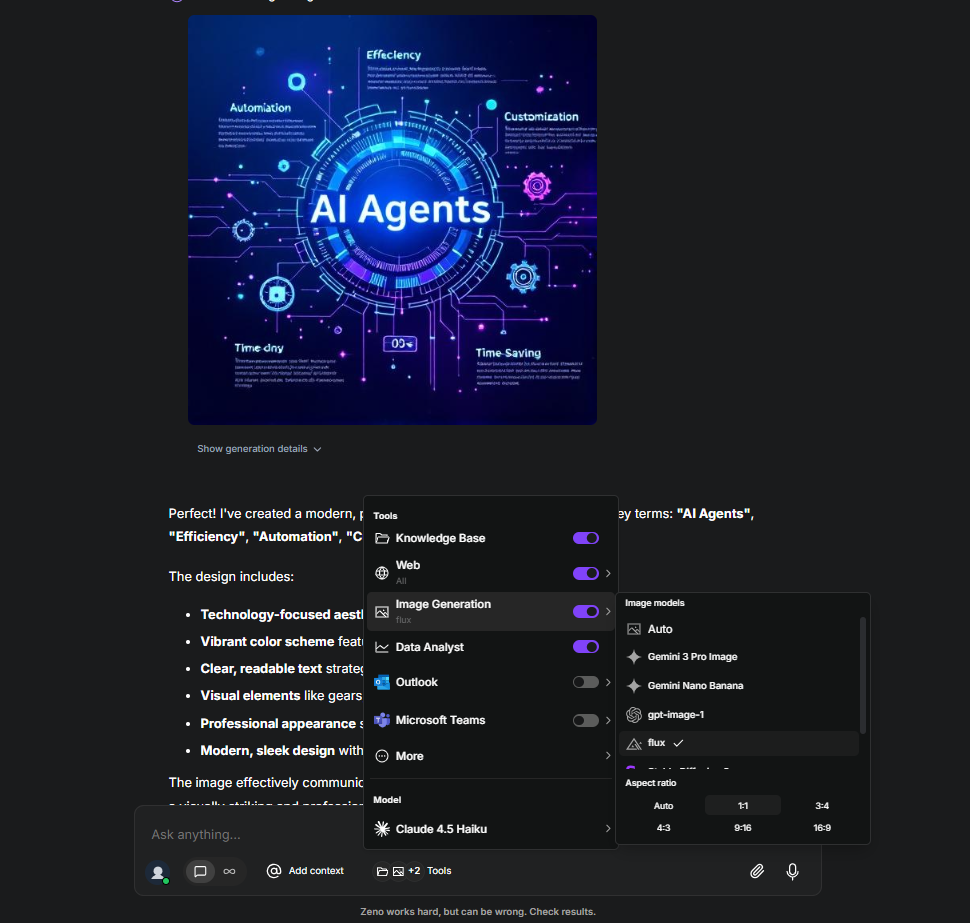
TextCortex will automatically enhance your prompts, allowing you to get maximum efficiency from all image generator models, including Flux.
Frequently Asked Questions
What is Flux AI?
Flux is an AI image generator model developed as a competitor to Midjourney, offering users text-to-image and image-to-image features.
Does Flux have image to image?
Although the Flux AI image generator model was developed to convert textual inputs into visual outputs, it has added an image-to-image feature with the advancement of AI technology.
.png)
.png)
.png)