
.png)
OpenClaw offers various advantages to enterprises and businesses. One of these advantages is to lighten the workload, automate the workflow, and save time by using features called "skills". With OpenClaw, you can create your own skills or integrate a skill created by someone else into your AI agent. If you are wondering what OpenClaw skills are and which are the best, we've got you covered.
In this article, we have compiled what OpenClaw is and the best skills for you.
TL; DR
- OpenClaw is a self-hosted AI agent infrastructure that runs on your local machine and can interact with your system plus third-party apps you integrate.
- OpenClaw “Skills” are modular prompt/tool bundles you add to agents to run repeatable tasks without re-prompting, and to automate multi-step workflows.
- Skills can be installed via ClawHub (a large skill library) using a simple terminal command, but you should review a skill’s source/security before installing to reduce risk.
- Top skills for enterprises in 2026 include: GOG, Composio, n8n Workflow, Slack/Discord, Notion Skill, and Nacos.
- TextCortex is a cloud-based enterprise workflow automation and knowledge management platform that allows you to use skills.
What is OpenClaw?
OpenClaw is a cloud-based, self-hosted AI agent in infrastructure that you can use to create, utilize, organize, and automate your workflows. OpenClaw doesn't run in the cloud; you download it to your local machine, install it, and start using it. The most important feature that distinguishes OpenClaw from other AI agent frameworks is its ability to work with your local system and with third-party applications you integrate. Additionally, OpenClaw comes with a feature called Skills, which makes your AI agent even more functional with different triggers and features.
What are OpenClaw skills?
OpenClaw skills can be defined as a set of prompts that you can modularly add to your AI agent, allowing you to run different features together. Thanks to these skills, instead of entering prompts one by one to complete a specific task while using your AI agent, you only need to use the skill itself. Furthermore, you can integrate these skills into automation processes or enable your agent to automate specific workflows much more efficiently.
How to Safely Load Skills in OpenClaw?
The easiest and fastest way to load skills into OpenClaw is to use ClawHub. ClawHub is a skill library with over 53,000 skills. To find the skill you need, you can type its name directly or use the filtering method. Once you find the skill you're looking for, you can go to the terminal and enter the following command.
# installs clawhub
npx clawhub@latest install [skill name]
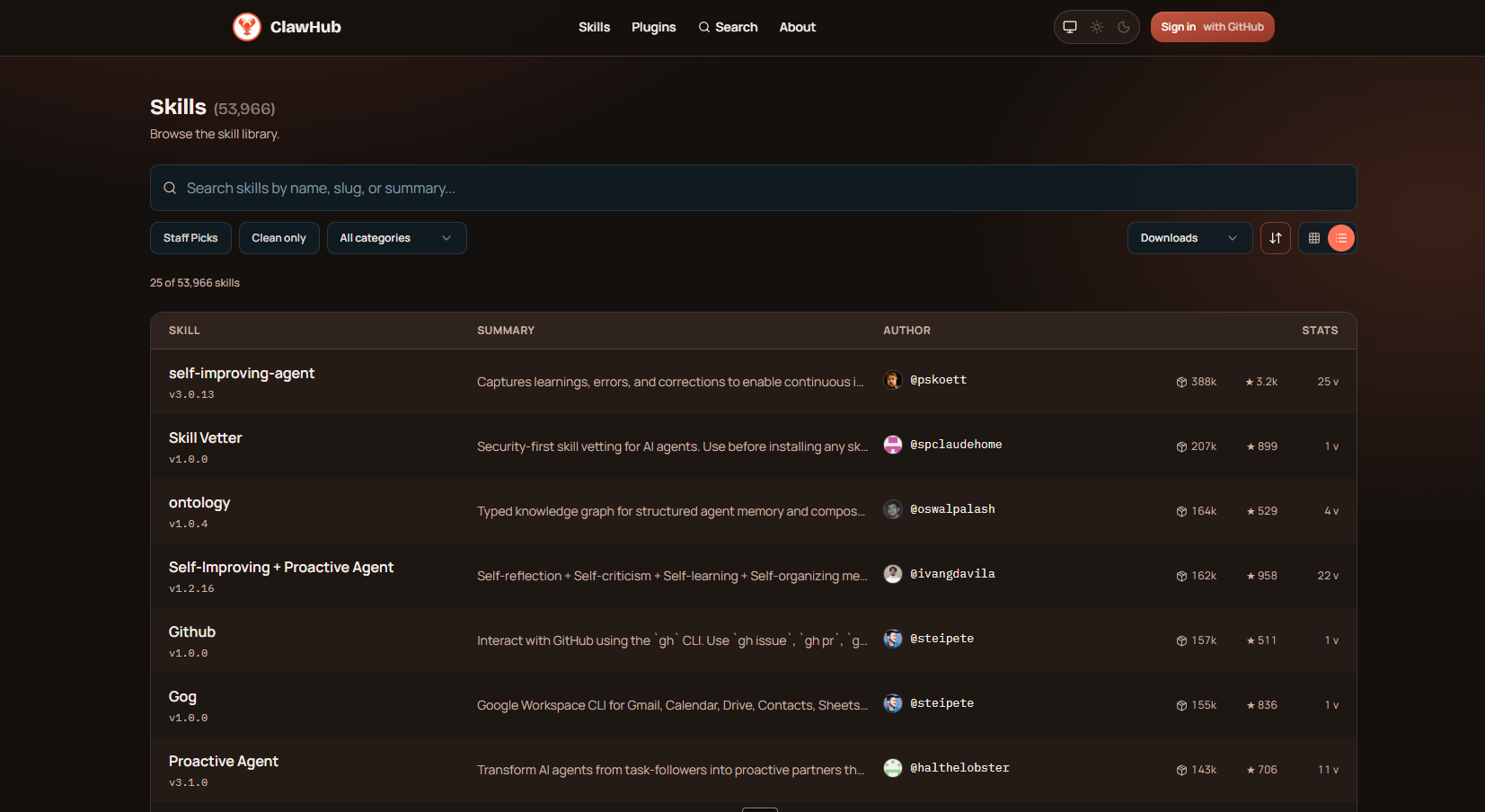
An important critical point is this: When using OpenClaw, don't install the skills you download directly onto OpenClaw. First, check the website, ensure its security, and then install. This way, you can prevent potential risks and further tighten security measures.
The best OpenClaw skills you need to know
If you're wondering about the best OpenClaw skills you can use in 2026, we've got to cover. Let's take a look at the best OpenClaw skills in 2026 that enterprises need to know.
1. GOG (Google Workspace integration)
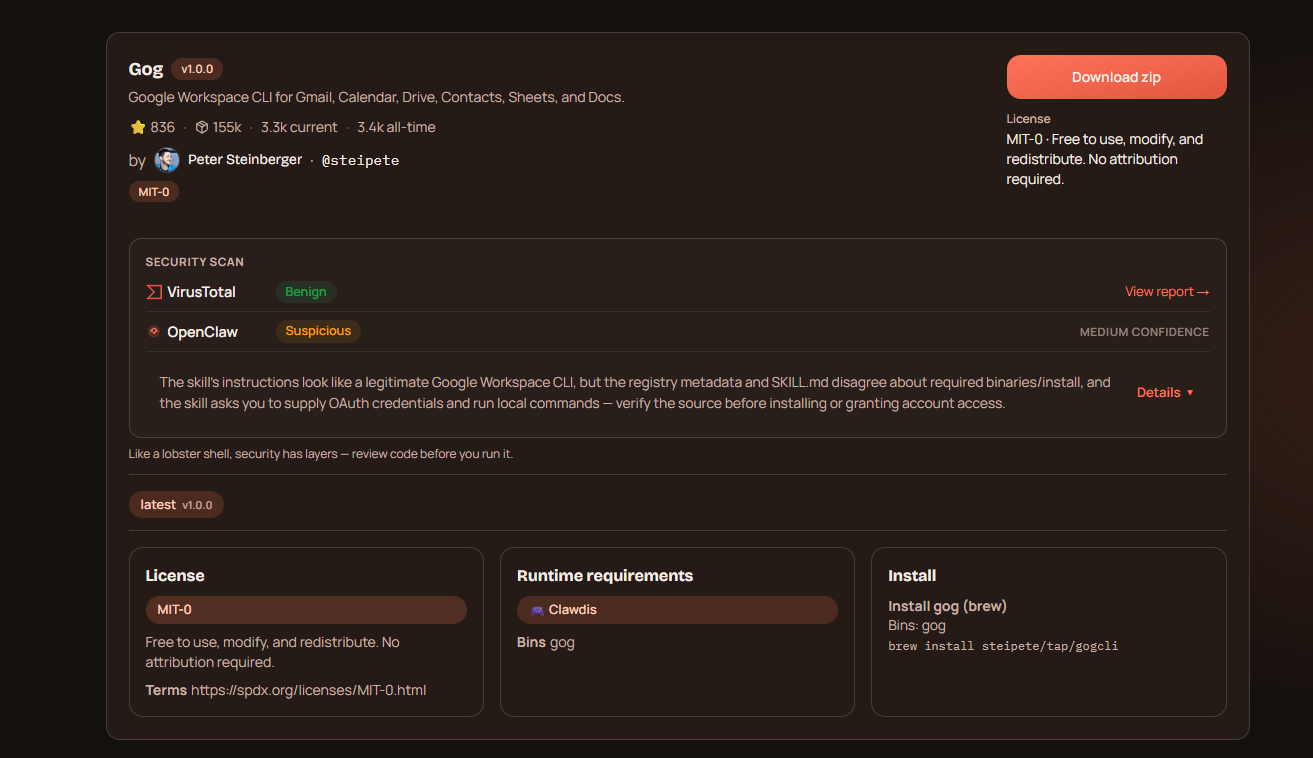
If you are asking how to connect Google WorkSpace or Google Tools into OpenClaw, you are in the right place. Google Workspace Integration (GOG) serves like a bridge between your Google Workspace and OpenClaw. Instead of installing six different Google tools, you can use the Google Workspace integration bundle Gmail, Calendar, Drive, Docs, Sheets, and Contacts in one skill.
2. Composio
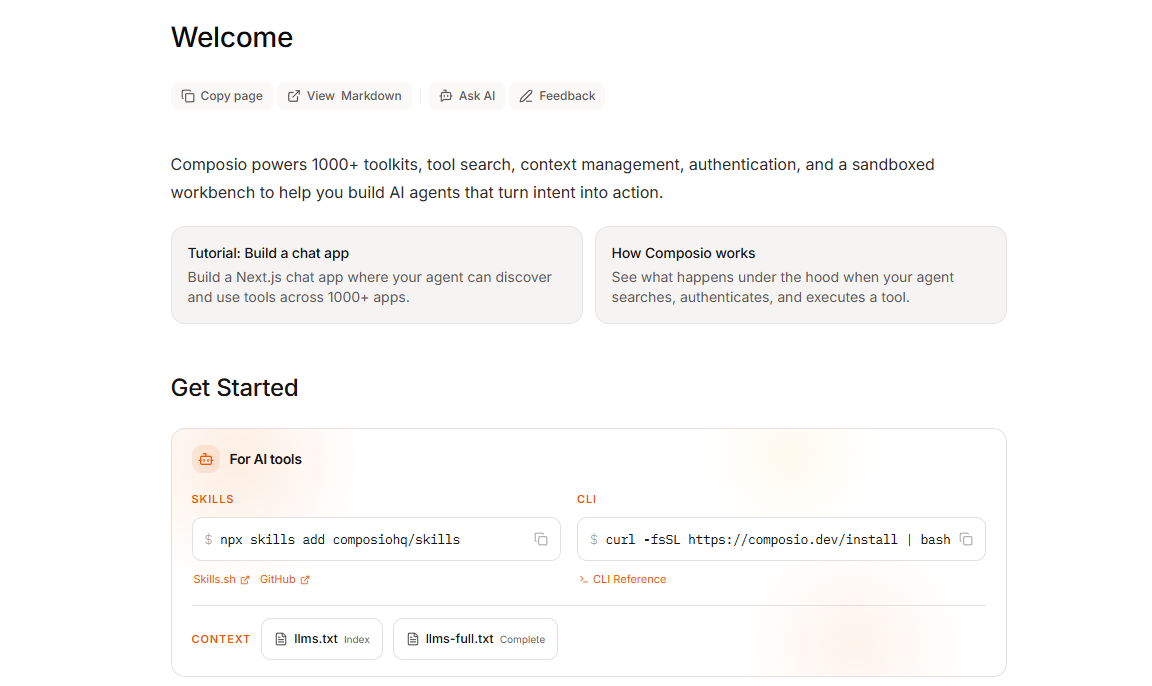
If you're looking for a toolkit that lets you integrate over a thousand toolkits into OpenClaw, including not just Google tools, but platforms like Slack, Notion, and GitHub, then Composio is designed for you. With Composio, you can use your agents not just for specific tasks, but also to automate workflows that require integrations with Google, Slack, or Notion and utilize your data from those platforms. For example, you can create an agent that reads your daily Gmail messages, prioritizes them, and documents them.
3. N8N Workflow
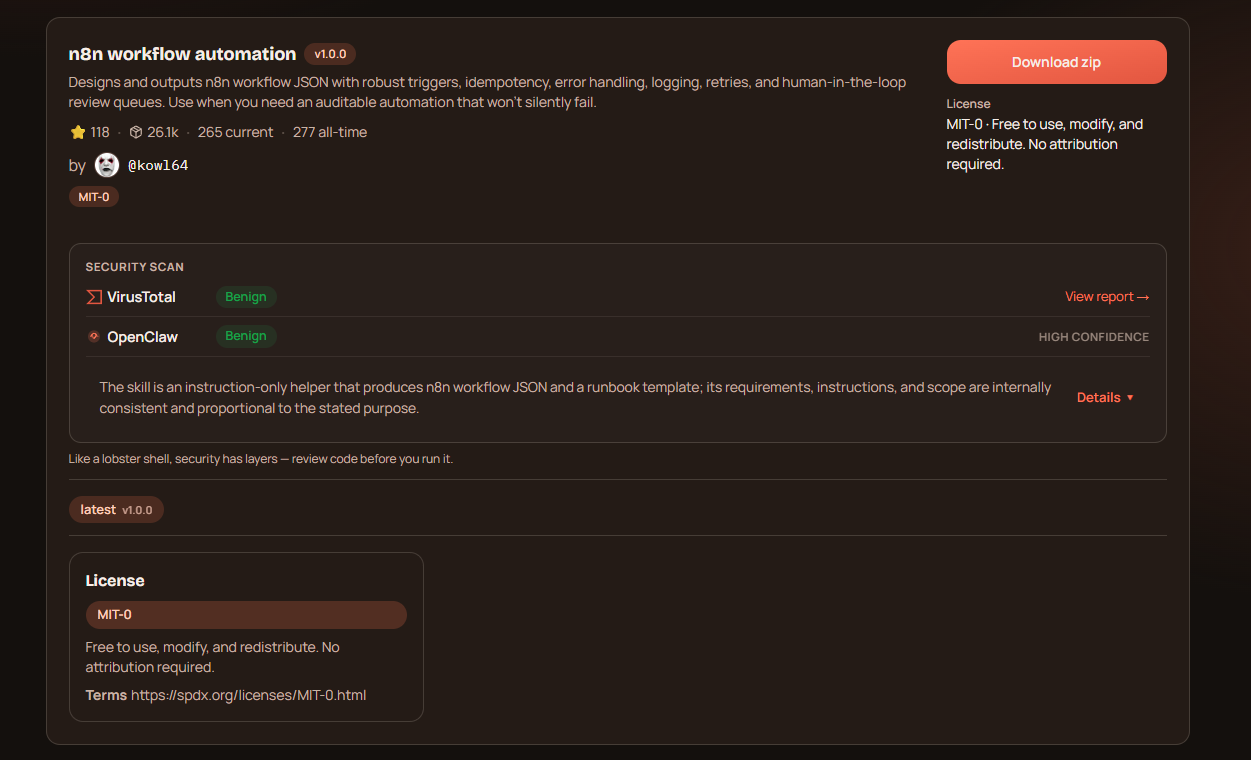
If you're using n8n to automate your business processes, the n8n workflow skill you need to integrate into OpenClaw is essential. The n8n workflow skill connects OpenClaw with your n8n tools, allowing you to manage all your automation tools from a single platform. Instead of using your n8n tools manually one by one, OpenClaw allows you to use them in different ways. This saves you time and eliminates cluttered hubs.
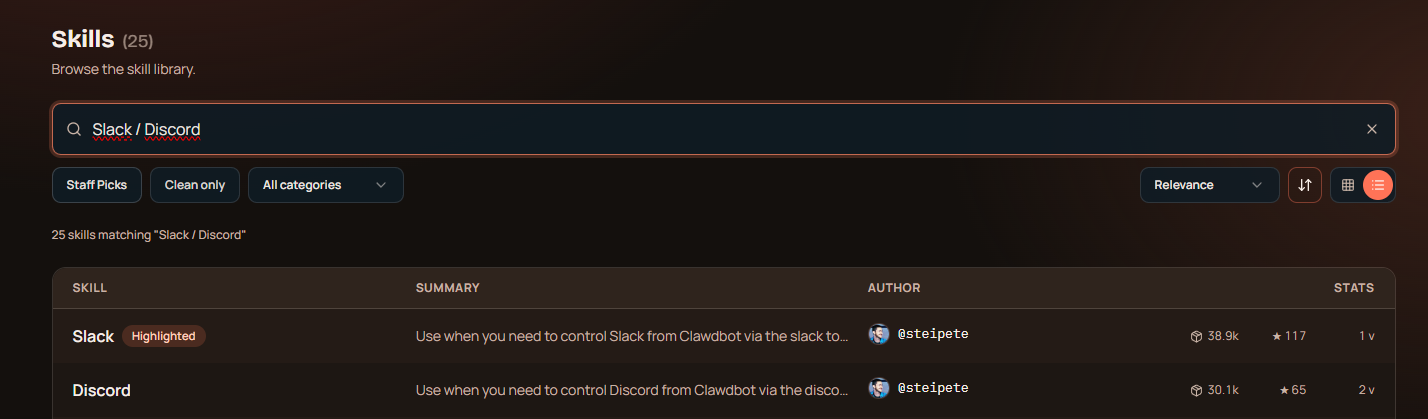
4. Slack / Discord
Slack and Discord skills are available on ClawHub that you can use to automate various tasks or manage your automations or agents via Discord or Slack. These skills improve quality of life and allow you to manage OpenClaw and your AI agents from a single platform, Discord or Slack.
5. Notion Skill
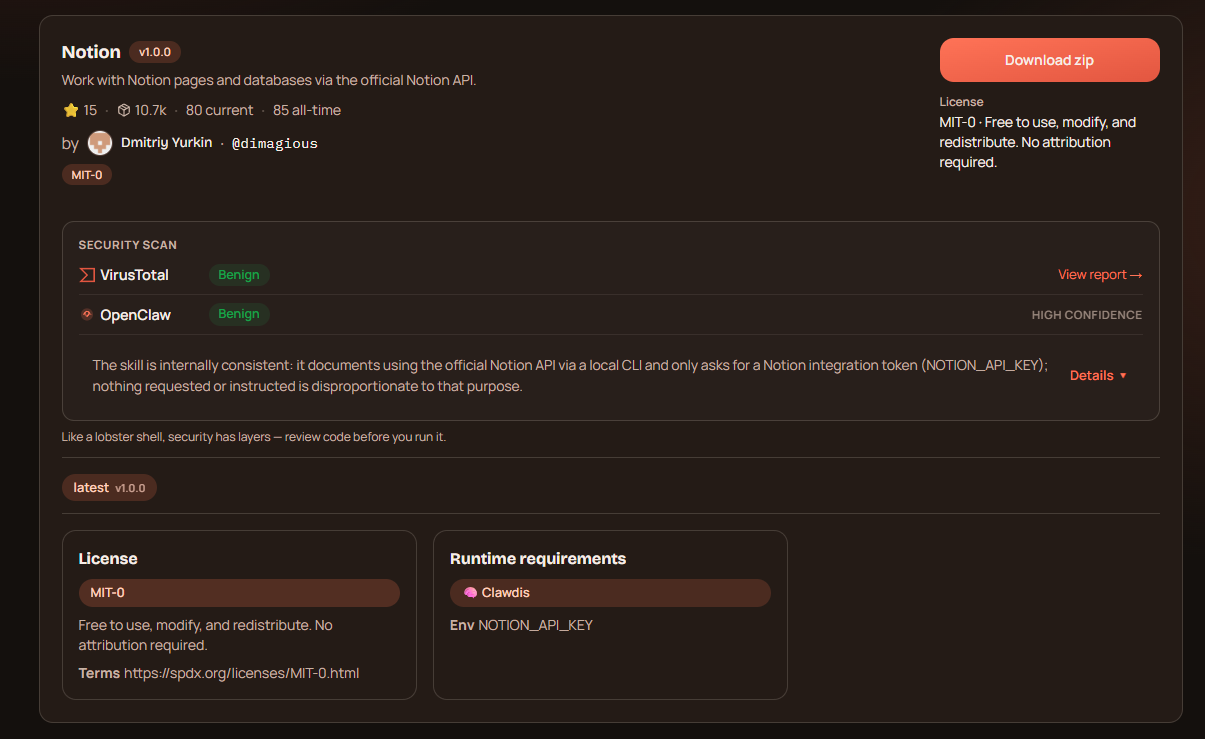
If Notion is your main workspace or you want to integrate OpenClaw into your Notion workflow, then Notion Skill is designed for you. With Notion Skill, you can manage your Notion API and workspaces through OpenClaw, automate your Notion workflows, or train and manage your AI agents using the knowledge available in Notion.
6. Nacos
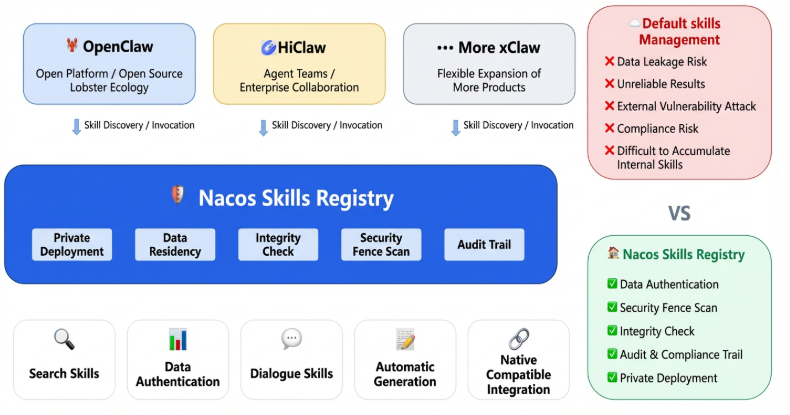
If you want to avoid malicious skills or skills that could compromise your security, and you're looking for a skill that scans all skills for you, then Nacos is the solution. If you want to make your Enterprise-level OpenClaw skill usage more secure, you can use Nacos. Nacos scans the skills you use and try to install, tests their safety by running them behind a firewall, and then makes them ready for use. Nacos is a security measure you can use not only in OpenClaw but in any platform that allows skill usage (for example, Claude or other xClaw-like platforms).
TextCortex AI: Cloud-based Enterprise Infrastructure
If you're looking for an AI platform to automate all your enterprise-level workflows and improve your knowledge management, TextCortex is the perfect choice. TextCortex is the leading platform that aims to reduce the workload for enterprises by providing knowledge management features and a secure AI agent framework.
TextCortex Features
TextCortex provides knowledge bases that allow users to upload internal data or connect to databases. With knowledge bases, you can create folders for different data groups. Another TextCortex feature is the AI agent framework, which integrates with knowledge bases. With the TextCortex AI agent builder, you can build AI agents to perform and automate specific tasks, and add your knowledge base data. You can build your AI agents manually with TextCortex or use our AI agent builder feature. Furthermore, TextCortex's wide range of LLM support allows you to choose the optimal large language model for each task.
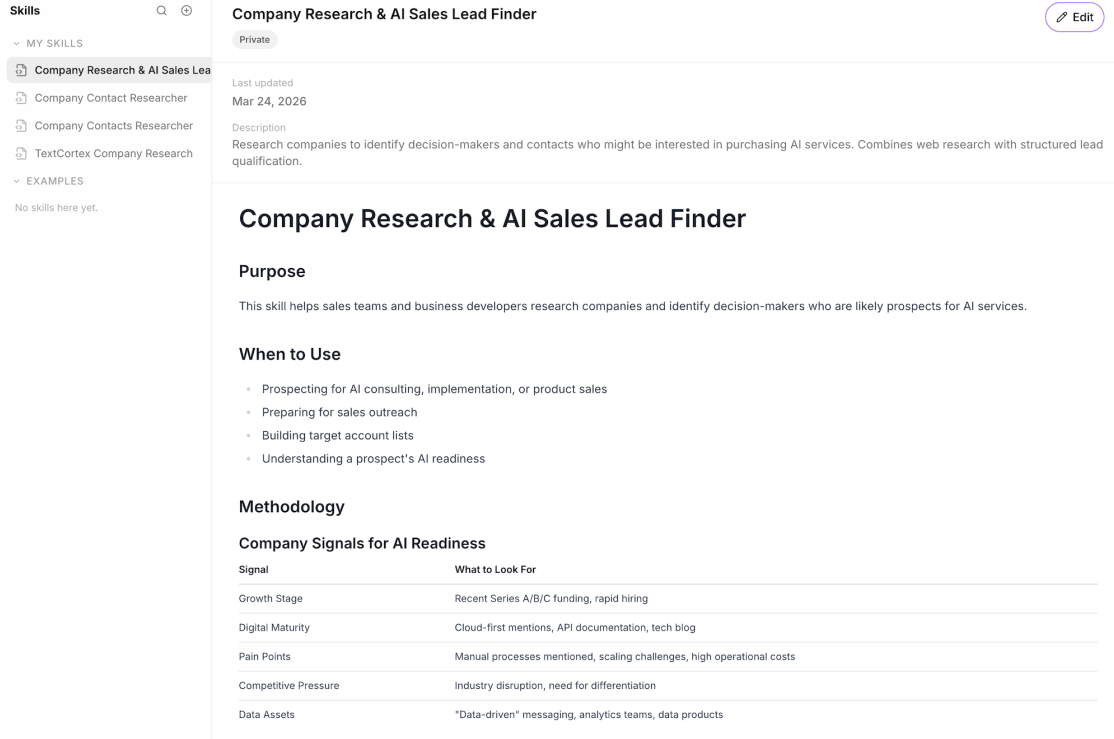
You can leverage our connectors and skills features to use your AI agents more effectively. With the skills feature, you can create prompt groups for specific actions and tasks and use them modularly in any of your AI agents.
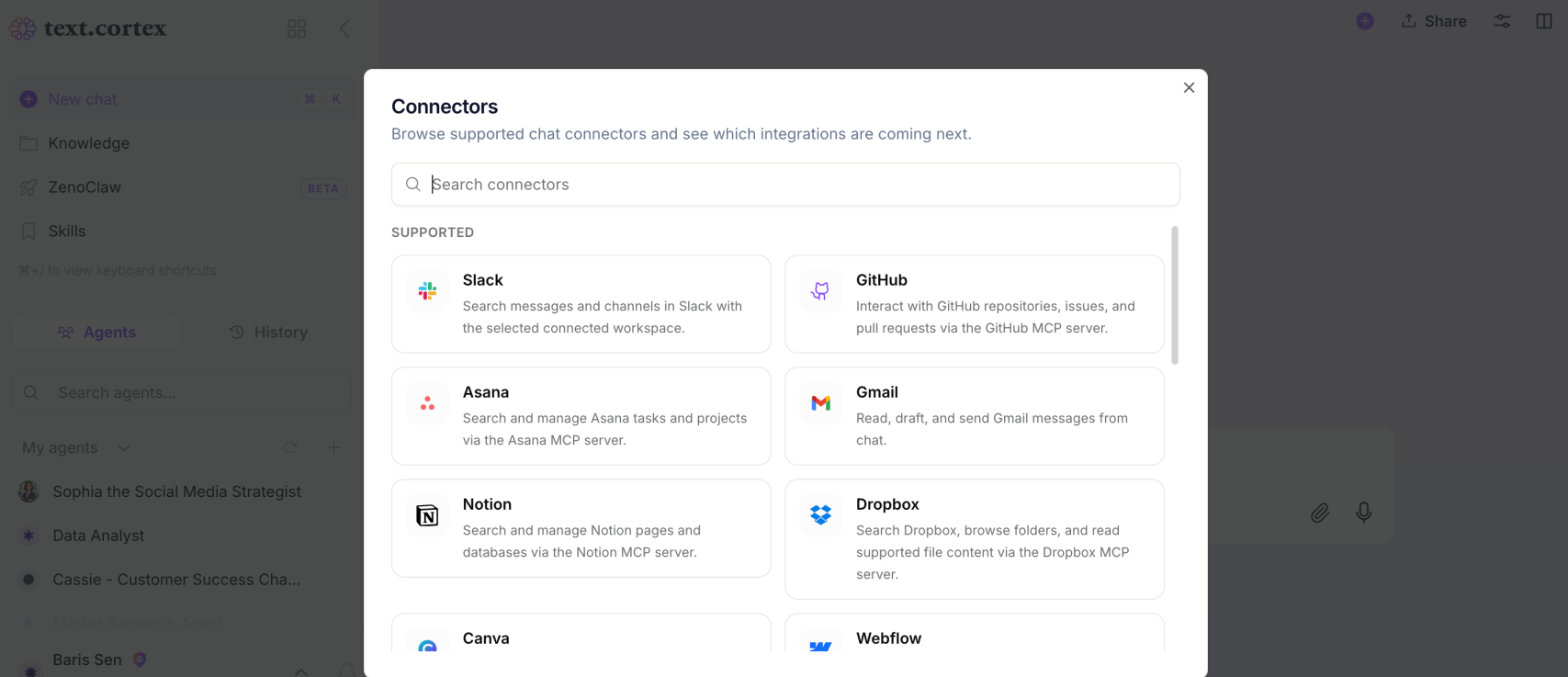
Our connectors feature allows you to integrate third-party apps into your skills or agents. For example, if you want a skill you've created to be activated in Slack, you can integrate Slack with a specific skill using connectors.
Frequently Asked Questions
What are the biggest security risks when running OpenClaw?
OpenClaw’s main risks come from the amount of access it can get and the fact that it’s self-hosted. Common issues include supply-chain threats from third‑party skills, prompt injection, plaintext credential leakage, and vulnerabilities that can lead to remote code execution or browser-based attacks.
What’s the safest way to secure OpenClaw Gateway access?
Treat Gateway access as your primary control point. OpenClaw commonly uses either token-based auth or trusted-proxy auth behind a reverse proxy. If you use proxy auth, it must be the only route to the Gateway, and you should pair it with TLS termination, strict ingress rules, and WebSocket protection
What are the best OpenClaw skills?
The best and the most useful OpenClaw skills include:
- GOG
- Composio
- N8N Workflow
- Slack / Discord
- Notion Skills
- Nacos
.png)
.png)
.png)